
How to Contact PlayBattleSquare About Billing
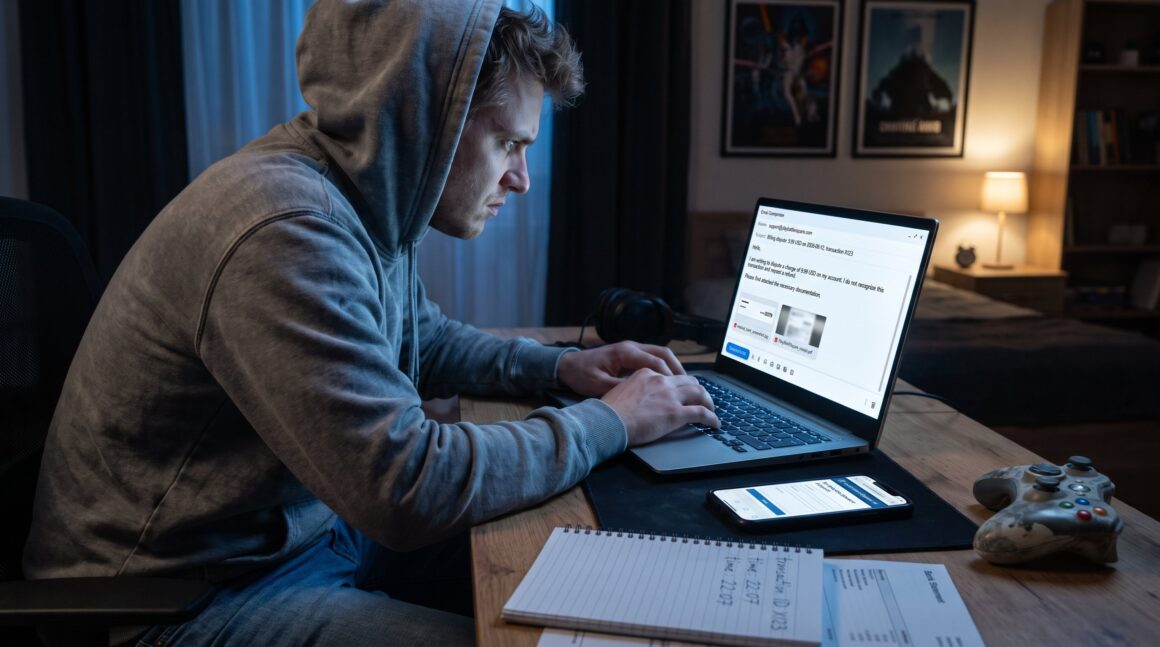
PlayBattleSquare billing problems can be confusing and stressful, especially after a late-night match when an unexpected charge appears. This guide explains, step by step, how they handle incorrect charges, subscription issues, double billing, and in‑game purchase disputes. It tells gamers what evidence to collect, which details to include, and the fastest contact routes to reach support. Readers will learn what to expect after they send a complaint and how long resolution usually takes. The instructions apply to PC, console, and mobile users of playbattlesquare.com.
Key Takeaways
- Contact PlayBattleSquare billing support via [email protected] or the official Contact Us form for fastest resolution.
- Prepare your PlayBattleSquare account info and evidence such as transaction ID, date, amount, and masked payment screenshots before reaching out.
- Clearly state billing issues like incorrect charges, subscription problems, duplicates, or missing purchases along with your desired resolution.
- Include platform details and a concise opening sentence to help PlayBattleSquare prioritize and speed up your billing inquiry.
- Expect a reply from PlayBattleSquare within one business day, with resolution typically taking up to a week depending on investigation.
- If unresolved after two weeks, escalate with ticket IDs or contact your card issuer while continuing to work with PlayBattleSquare support.
What Billing Issues This Guide Covers
This guide covers four clear billing problems: incorrect charges, subscription billing, duplicate charges, and failed or missing in‑game purchases.
Incorrect charges: when an unfamiliar line item appears on a card or bank statement. Players often spot this after buying skins or passes.
Subscription billing: recurring fees that continue after cancelation or that are higher than expected.
Duplicate charges: when the same transaction posts twice, often caused by payment gateway retries.
Missing purchases and refunds: purchases that didn’t deliver items, or refunds that never arrive. The guide gives the evidence and words to use when contacting PlayBattleSquare support so the issue is resolved quickly.
Why these four? They represent the majority of billing tickets the site receives and are the fastest to resolve when users send precise details.
Prepare Your Account Info And Evidence
Start with facts first: support needs the account, the charge details, and proof. Gather these before you write. That speeds resolution and avoids back-and-forth.
Exact items to collect:
- Username and the registered email on PlayBattleSquare. This ties the charge to an account.
- Date and time of the transaction (local time). A time narrows searches in gateway logs.
- The charged amount and currency (for example, 9.99 USD).
- Transaction ID or reference from the receipt or bank entry.
- Platform used (PC, Android, iOS, browser name).
Tip: mask card numbers in screenshots (show only last four digits). Attach a screenshot of the PlayBattleSquare receipt and the bank or card entry. Avoid sending full card numbers for safety. Having this ready reduces follow-up requests and often cuts resolution time by half.
Required Details To Include
State the problem first, then list the details. Support reads the opening sentence to triage priority.
Essential details to include in the first lines:
- Site name: playbattlesquare.com (explicitly name the site).
- Full name and the PlayBattleSquare account email.
- Transaction ID or reference, if available.
- Exact amount and currency.
- Precise date and time of the charge.
- Platform and browser or app version.
- Short, clear description of the desired outcome: refund, reversal, or clarification.
Example opening sentence: “playbattlesquare.com charge of 9.99 USD on 2026-08-12 22:07 (transaction ID X123), I request a refund: attached are the receipt and bank screenshot.”
Honest moments: if the user made multiple purchases around the same time, say so. Admitting this prevents accidental account suspicions. Support prefers clarity over defensiveness and will respond faster when evidence is organized.
Contact Methods And Where To Find Them
The fastest routes to reach billing support are email and the site’s official contact form. Both routes are monitored and documented in the support system.
Primary contact points:
- Email: [email protected] for billing and account questions.
- Official contact form: the Contact Us page on the site for structured submissions.
- Business or partnership inquiries use separate channels listed on the site.
Where to look on the site: the Contact Us area lists emails and an embedded form. The site also posts policy and terms pages that sometimes include a formal contact for legal or billing notices.
Related reading on contacting the site can help with context: consult the short pillar page about contacting support for broader inquiries in the same cluster, which shows other routes and expectations: support options.
Placement note: do not paste sensitive payment details into public comment areas. Use the secure form or email attachments for screenshots.
Email And Official Contact Form
Answer first: email and the contact form are both reliable: email is direct, the form structures details. Use both when a charge is urgent.
How to use email: send to [email protected] with a concise subject line: “Billing dispute: 9.99 USD on 2026-08-12, transaction X123.” Attach masked screenshots and a one-paragraph summary. Email gives you a timestamp and often a faster reply for time-sensitive refunds.
How to use the contact form: the form asks for name, email, subject, and message and accepts attachments. It routes tickets into PlayBattleSquare’s support queue. Use the form when you want a structured record tied to your account.
Other listed contacts: [email protected] handles general content and site issues: [email protected] appears as an auxiliary address. For billing, prioritize [email protected] and the Contact Us form to avoid misrouting.
Practical warning: sending the same complaint repeatedly across multiple channels can create duplicate tickets and slow the process. Pick email plus the form only if you add new evidence in the second message.
What To Expect After You Contact Support
Immediate fact: PlayBattleSquare usually replies within one business day. After the initial reply, expect two things: requests for more evidence or a resolution message explaining the charge or issuing a refund.
Typical timeline:
- Day 0–1: automated acknowledgment or a human reply asking for missing details.
- Day 1–3: investigation by support and payment processor checks.
- Day 3–7: confirmation of correction or refund, or a final explanation if the charge is valid.
Common follow-ups: support may ask for the transaction ID, a clearer screenshot, or permission to contact the payment processor. If a refund is approved, the posting to a bank account can take 3–10 business days depending on the bank.
Real example: a player reported a duplicate 4.99 USD charge: after attaching the receipt and bank screenshot, support reversed one charge within 48 hours and confirmed the refund would post in five business days.
If the issue stalls: escalate with a follow-up message that references your original ticket ID or request a supervisor. If charges remain unresolved after two weeks, consider contacting your card issuer for a temporary charge dispute while continuing to work with PlayBattleSquare support.
Conclusion
Use [email protected] or the Contact Us form, include the exact account and transaction details, and expect a reply usually within one business day. Clear evidence and a concise opening sentence speed outcomes and reduce stress for gamers.


