How to Build a Minecraft Museum: The Ultimate Guide to Showcasing Your Collection in 2026
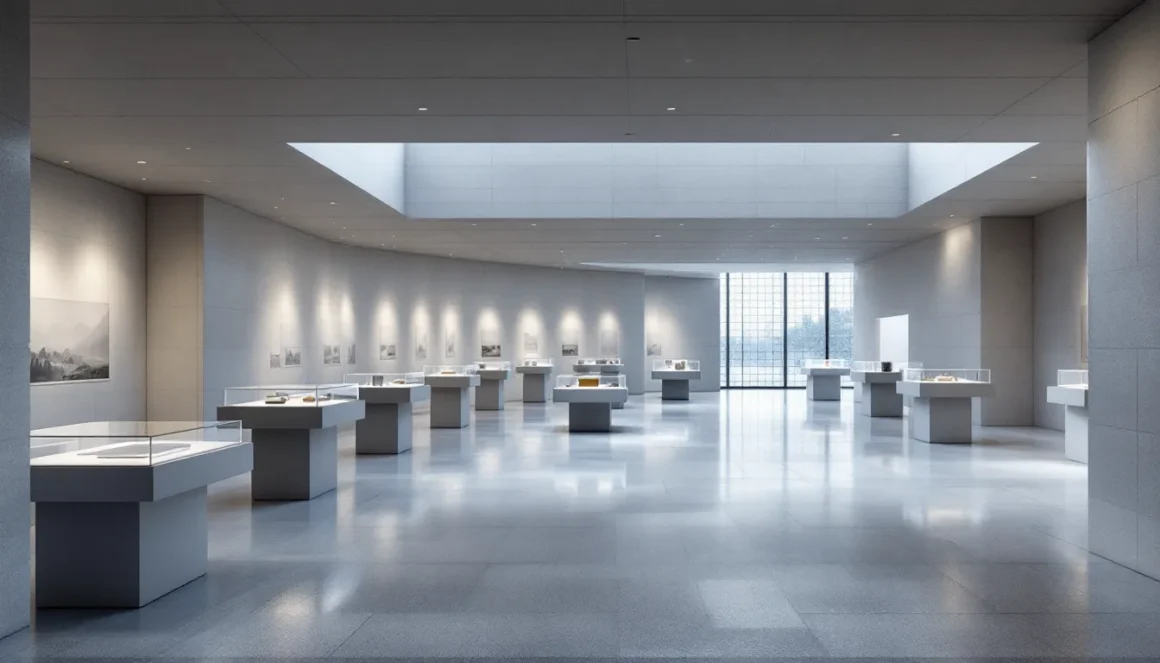
Building a museum in Minecraft isn’t just about stacking blocks, it’s about creating a space that tells a story. Whether players are hoarding every disc variant they’ve found, displaying armor sets from different biomes, or showcasing pixel art creations, a well-designed museum transforms clutter into curated exhibits worth exploring. With Minecraft’s continuous updates adding new blocks, items, and mechanics, 2026 offers more building options than ever for crafting professional-looking museum spaces that rival real-world architecture.
This guide covers everything from initial planning and material selection to advanced redstone automation and themed exhibit design. Players will learn how to construct functional display areas, optimize lighting for different artifacts, and add interactive elements that make their museum more than just a storage room with glass cases. Whether building in survival mode with limited resources or going all-out in creative, these techniques work across Java and Bedrock editions on PC, consoles, and mobile platforms.
Key Takeaways
- A well-designed Minecraft museum transforms scattered collections into curated exhibits by using strategic lighting, display alcoves, and themed exhibit rooms that tell a story.
- Start museum planning with a clear location, theme, and inventory count to determine appropriate building size and layout—avoiding both wasted space and awkward expansions.
- Professional-looking museum materials include quartz blocks, concrete, stone variants, and glazed terracotta paired with hidden lighting solutions like sea lanterns, soul lanterns, or light blocks for optimal artifact visibility.
- Advanced redstone systems enhance museums through automated lighting with daylight sensors, motion-activated displays, rotating exhibits, and interactive button-activated reveals that engage visitors.
- Multiplayer Minecraft museum servers succeed by defining WorldGuard regions for protection, implementing community donation systems, assigning themed wings to different builders, and maintaining exhibits with each game update.
- Museums solve the ‘now what?’ problem after defeating the Ender Dragon by providing long-term collection goals like gathering every music disc, banner pattern, or biome block while showcasing player achievements across Java and Bedrock editions.
Why Build a Museum in Minecraft?
Museums serve multiple practical purposes beyond aesthetics. They’re organized storage solutions that prevent valuable items from getting lost in random chests scattered across bases. Unlike typical storage rooms, museums transform collections into visual experiences where players can actually appreciate what they’ve gathered over hundreds of hours.
For multiplayer servers, museums become social hubs. They showcase achievements to other players, document server history, and create destinations worth visiting. A well-designed museum demonstrates building skill and game knowledge simultaneously, it’s a flex that’s actually useful.
Museums also solve the “now what?” problem that hits after defeating the Ender Dragon. They give long-term goals: collecting every music disc, obtaining one of each banner pattern, or gathering blocks from every biome. The building itself becomes a project that can evolve alongside the game as new updates add fresh content to display.
Planning Your Minecraft Museum Build
Choosing the Right Location and Theme
Location determines accessibility and aesthetic integration. Central base locations work best for frequently updated museums where players regularly add new finds. Remote locations suit specialized themes, an ocean monument museum built underwater, or an ancient civilization exhibit constructed in a desert temple.
Theme selection should match the collection. Natural history museums pair well with mob heads, fossils, and biome-specific blocks. Art galleries need wall space and neutral backgrounds for pixel art or map displays. Archaeological museums benefit from stone, terracotta, and ancient-looking materials that complement artifact displays.
Consider the surrounding terrain. Building into a hillside creates natural exhibition levels. Flat plains offer flexibility for grand entrance designs. Biome choice affects available building materials in survival mode, a mesa location provides abundant terracotta varieties for decorative patterns.
Determining Museum Size and Layout
Start with exhibit inventory. Count how many display cases, item frames, or armor stands the collection requires, then work backward to determine room sizes. Overbuilding wastes time: underbuilding requires awkward expansions later.
Museum layouts typically follow three patterns:
- Linear progression: Single path guiding visitors through exhibits in sequence. Works well for chronological or story-based collections.
- Central hub: Main atrium with wings branching to themed rooms. Offers flexibility and clear navigation.
- Multi-floor galleries: Vertical design maximizing space efficiency. Best for large collections on smaller footprints.
Allocate 5-7 blocks of width for main corridors to prevent cramped feelings. Exhibition rooms should provide at least 3 blocks of viewing distance from displays, too close and players can’t appreciate the setup: too far and details get lost.
Scale the exterior to match interior needs. Nothing’s worse than a massive building with two small rooms inside, or a modest facade hiding a TARDIS-like interior that breaks immersion.
Essential Building Materials for Your Museum
Best Blocks for Museum Walls and Floors
Quartz blocks remain the classic museum material, clean, bright, and professional. Smooth quartz eliminates texture noise, while quartz pillars add architectural detail to corners and columns. The material’s brightness helps with lighting but can feel sterile in large quantities.
Concrete offers 16 color options for color-coded wings or accent walls. White and light gray concrete provide modern aesthetics similar to quartz but with flatter texture. Black concrete creates dramatic backdrops for bright exhibits.
Stone variants (polished andesite, polished diorite, stone bricks) deliver classical architecture vibes. They’re abundant in survival and pair well with historical or natural history themes. Deepslate variants add darker, more dramatic options since the 1.18 update.
Terracotta and glazed terracotta provide patterned floors without overwhelming displays. Glazed terracotta’s directional patterns create custom floor designs when placed strategically.
For flooring, stick with smooth textures: polished blackstone, smooth stone, or concrete. Avoid busy patterns like grass or cobblestone that distract from exhibits. Mix two complementary blocks in checkerboard patterns for visual interest without chaos.
Lighting Options to Highlight Your Exhibits
Lighting makes or breaks museum ambiance. Sea lanterns and glowstone provide bright, even illumination but lack subtlety. Embed them in ceilings or behind white stained glass to diffuse harsh light.
Lanterns and torches offer atmospheric point lighting. Hang lanterns from chains above displays to create focused illumination pools. Soul lanterns add blue-tinted ambiance for spooky or underwater exhibits.
Redstone lamps enable controllable lighting systems. Wire them to daylight sensors for automatic day/night cycles, or connect to lever-activated circuits for individual room control.
End rods work as modern track lighting when placed horizontally along ceiling edges. They’re directional, making them ideal for spotlighting specific displays.
Hidden lighting prevents light sources from competing with exhibits. Recess glowstone behind slabs, hide torches behind trapdoors, or use light blocks (Java Edition 1.17+, Bedrock 1.18+) for invisible illumination at specific levels. Light blocks require commands (/give @s light) but offer precise control with 16 brightness levels.
Maintain light level 8+ throughout to prevent mob spawning in survival builds, but vary intensity between 8-15 to create depth. Bright spotlights on key pieces, dimmer ambient lighting in corridors.
Step-by-Step Museum Construction Guide
Building the Foundation and Exterior
Start with a floor plan outline using temporary blocks like wool. Walk through it at player height to verify corridor widths and room proportions feel right. Adjust before committing to permanent materials.
Foundations should extend 2-3 blocks underground to hide exterior lighting and redstone wiring. This also prevents the building from looking like it’s sitting on the ground rather than anchored to it.
Exterior walls need visual breaks every 8-12 blocks, windows, pilasters, material changes, to prevent monotony. Even simple quartz boxes benefit from quartz pillar corners and slab detailing along roof lines.
Entry design signals building purpose. Grand staircases and columned porticos suggest formal museums. Modern glass facades imply art galleries. Partially buried entrances work for archaeological themes.
Roof style depends on scale. Flat roofs with slab borders suit modern designs. Pitched roofs using stairs and slabs add classical architecture flair. Large museums often use multiple roof levels to break up mass and add visual interest.
Creating Exhibition Halls and Display Rooms
Interior walls don’t need full thickness, single-block walls save space and materials. Use full-thickness walls only where structural logic demands it (around entrances) or where hiding redstone wiring.
Main exhibition halls benefit from high ceilings (5-7 blocks) to prevent claustrophobia. Smaller side galleries can use 4-block heights for intimacy.
Create display alcoves by recessing walls 1-2 blocks. This adds depth and naturally frames exhibits without requiring glass cases for every item. Place item frames in these recesses with lighting focused on them.
Floor variation defines spaces without walls. Drop or raise floor sections by 1 block with stair or slab transitions to separate exhibit zones within larger rooms.
Pillars add architectural interest and break sight lines in large halls. Space them every 6-8 blocks using 2×2 column designs. They also provide convenient vertical runs for hidden wiring.
Adding Entrances, Corridors, and Staircases
Main entrances need transition zones. A 3×3 minimum entry hall prevents players from spawning directly into exhibits. Add benches (stairs with signs), info boards, or a reception desk in this space.
Corridors should vary width by importance. Main gallery connections use 5-7 block widths, while service hallways can narrow to 3 blocks. This hierarchy guides visitors intuitively.
Decorate corridor walls with item frames displaying maps, or use banner designs to add visual interest during transitions between major exhibits. Gaming communities often showcase detailed museum builds with custom textures that enhance historical authenticity.
Staircases consume surprising amounts of space. A comfortable staircase needs 3-block width and 3-4 blocks of horizontal run per vertical level. Spiral staircases using blocks and slabs save space but feel cramped, reserve them for service access, not primary circulation.
Add landings every 8-10 steps on long staircases. They provide rest points and opportunities for decorative elements or intermediate exhibits.
Creative Display Ideas for Your Exhibits
Showcasing Rare Items and Collectibles
Music discs deserve dedicated listening rooms. Create a 5×5 space with a jukebox, note blocks for decoration, and item frames displaying each disc. Use different colored concrete or carpet to represent each disc’s rarity.
Nether stars and dragon eggs need pedestal displays. Build 3-block-tall columns from quartz or concrete, top with end rods or sea lanterns for underlighting, then place the item in an invisible item frame (Java: F3+B to see hitboxes and place frames).
Enchanted books display well on lecterns arranged library-style. Group by enchantment type with signs labeling each section. For max-level books, add item frames on the wall behind with glowing item frames (requires glow ink sacs) to highlight rare finds.
Mob heads mount directly on walls or armor stands. Create a trophy room with heads arranged by mob type or difficulty to obtain. Wither skeleton skulls and dragon heads deserve centerpiece placement given their rarity.
Creating Themed Exhibition Rooms
Themed rooms tell stories through environmental design. A Nether exhibit uses netherrack, basalt, and lava pools (covered with glass) as flooring. Display Nether-specific blocks, mobs heads, and tools in this context.
Biome collections recreate miniature environments. An ocean room features prismarine walls, blue lighting, and glass floor panels showing water beneath. Display ocean monuments blocks, sponges, and tridents here.
Historical progression rooms show Minecraft’s evolution. Dedicate sections to blocks from specific updates: 1.16 Nether, 1.17 Caves, 1.18 Cliffs, etc. This works particularly well on long-running servers documenting their history.
Player achievement galleries (multiplayer specific) allot space for each member’s contributions. They provide personal areas and encourage participation in museum curation.
Using Item Frames, Armor Stands, and Pedestals
Item frames are museum workhorses. Place them on walls, floors (use invisible frames for floating effects), or inside glass-covered alcoves. Group related items, all diamond tools together, or a progression from wood to netherite.
Glow item frames (added in 1.17) make items visible in darker rooms without external lighting. They’re perfect for rare items needing emphasis.
Armor stands display full armor sets with weapons and shields. Use poses (Bedrock: naturally: Java: requires commands or mods) to create dynamic arrangements. Position stands at angles rather than straight rows for visual interest.
Create pedestal effects by building up blocks to stand height, placing carpet or slabs on top, then positioning armor stands. This elevates important pieces literally and figuratively.
Custom displays using glass blocks, panes, or barriers create floating item effects. Place barriers in a cube, put item frames on them, and items appear to float mid-air. This technique requires creative mode or commands for barrier access.
Advanced Museum Features and Redstone Enhancements
Automated Lighting and Door Systems
Daylight sensors create automatic lighting that activates at night. Invert the sensor (right-click) for lights that turn on after sunset. Connect to redstone lamps hidden in ceiling recesses for clean aesthetics.
Motion-activated lighting uses observer blocks detecting player movement. Place observers facing corridor directions, connected to redstone lamps via hidden wiring. Lights trigger as players approach, then turn off via timing circuits (hopper clocks or repeater delays).
Pressure plate doors at entrances and between galleries add polish. Use weighted pressure plates (gold/iron) to prevent mob activation in survival. Conceal redstone dust under carpets or behind walls.
Piston doors create hidden entrances to storage areas or restricted exhibits. Jeb doors (2×2 seamless piston doors) blend into walls when closed. These require more complex wiring but deliver impressive reveals when opening.
Interactive Exhibits with Redstone Contraptions
Rotating displays use observers and pistons to cycle through items. Build a hidden loop of pistons pushing blocks with item frames through a viewing window. Observers detect position changes to time rotation cycles.
Button-activated exhibits reveal information or hidden items. Wire buttons to sticky pistons that retract walls, revealing additional displays or text on signs behind them.
Note block installations create audio experiences. Wire note blocks to pressure plates players step on, triggering musical sequences as they walk through galleries. Different paths play different melodies.
Working models demonstrate game mechanics. Create a miniature farm with hopper collection systems, or a small mob spawner showing spawn mechanics. These educational displays appeal to newer players while showcasing builder knowledge.
Redstone complexity varies by skill level. Start simple with pressure plate doors and daylight sensors. Add motion sensing and rotating displays once comfortable with basic circuits. Avoid overcomplicating, reliability matters more than complexity in survival builds where fixing broken redstone means gathering materials again.
Decorating and Detailing Your Museum
Interior Design Tips for Authentic Museum Atmosphere
Empty space creates sophistication. Don’t fill every block, museums need breathing room around exhibits. A single well-lit display in a 7×7 room feels more important than five crowded into the same space.
Seating areas using stairs and slabs add realism. Position them facing major exhibits, as if visitors might sit and contemplate. Add flower pots with plants or book stacks on nearby blocks.
Carpets and rugs (created with different colored carpet patterns) soften hard floors and define viewing areas. Use red carpet for premium exhibits, gray for general galleries.
Banners work as decorative elements and wayfinding. Create custom designs for different wings: a sword banner for combat exhibits, a tree for natural history, a book for archives. Many gaming guide sites feature banner pattern tutorials for museums and other builds.
Plants add life without clutter. Potted plants on pedestals, azalea or flowering azalea as shrubs in corners, or leaf blocks as decorative greenery soften sterile spaces.
Statues and sculptures fill larger halls. Create abstract forms with blocks and stairs, or attempt pixel art statues of significant mobs or players. Position these as focal points in atriums or at corridor intersections.
Adding Signs, Plaques, and Information Boards
Exhibition labels transform displays from decoration to education. Place signs beneath or beside exhibits explaining:
- Item name and acquisition method
- Date obtained (especially relevant on servers)
- Special characteristics or rarity
- Related lore or funny stories
Wall text using multiple signs creates information panels for room introductions. Explain the theme, what visitors should notice, or interesting facts about displayed items.
Donor plaques acknowledge contributors on multiplayer servers. Even if one player builds the museum, others might donate rare items. Recognition encourages continued contribution.
Sign formatting matters. Use colors (Java 1.14+: dyes or glow ink) to create headers versus body text. Keep entries concise, 2-3 lines maximum per sign to prevent overwhelming readers.
Hanging signs (added in 1.20) attach beneath blocks, creating labels that don’t require floor or wall space. They’re ideal for suspended displays or items on pedestals where traditional signs don’t fit.
Book and quills on lecterns provide deeper information for players wanting details. Create guidebooks explaining museum sections, item origins, or builder commentary. This adds depth without cluttering main displays.
Popular Museum Build Ideas and Inspiration
Natural History Museum Designs
Natural history museums showcase Minecraft’s environmental diversity. Create dioramas of each biome using actual blocks and mobs (name-tagged to prevent despawning) in glass enclosures. A jungle section features jungle wood, vines, bamboo, and potentially an ocelot or parrot. A tundra section uses snow, ice, and frozen animals.
Fossil exhibits display ancient debris, bone blocks, and fossils (actually in the game as buried structures since 1.10). Build large skeletal structures, create a massive wither skeleton or ender dragon skeleton using bone blocks as the centerpiece.
Mineral collections arrange every ore type, raw material, and gem in systematic displays. Organize by rarity or by mining depth, creating a visual guide to Minecraft geology.
Mob gallery features every mob head obtainable (via charged creeper explosions or wither skeleton skulls). Arrange taxonomically: hostile mobs, passive mobs, aquatic creatures, Nether inhabitants, End entities.
Art Gallery and Pixel Art Museums
Art galleries require extensive wall space with neutral backgrounds. Use white or light gray concrete for walls, with hidden lighting creating even illumination across surfaces.
Map art displays work best in item frames arranged in grids. Create pixel art using maps, then display the resulting images. Large pieces might require 3×3 or 4×4 map arrays. Smaller pieces can be individual map frames with proper spacing between them.
Banner art showcases pattern creativity. Display every available banner pattern and color combination. Advanced builders create banner designs replicating famous paintings or logos.
Wool pixel art mounted to walls creates three-dimensional galleries. Different colored wool blocks form images visible from specific viewing distances. Position seating or markers showing optimal viewing spots.
Sculpture gardens work as outdoor annexes. Create abstract or representational forms using various blocks, connected to the main museum via covered walkways. This solves space constraints while adding visual variety to the exterior.
Archaeological and Ancient Artifact Museums
Archaeological museums focus on ruins, ancient civilizations, and historical artifacts. Build the museum itself to look weathered, mix stone bricks with cracked variants, add mossy stones, use exposed stone alongside polished surfaces.
Temple artifacts: Display blocks from ocean monuments, desert temples, jungle temples, and woodland mansions. Create reconstruction sections showing how these structures originally appeared. Dedicated coverage of archaeology systems provides additional context for artifact display methods.
Ancient city exhibits: Since 1.19 added deep dark cities, create a section dedicated to deepslate, sculk variants, and echo shards. Use soul lanterns and dark materials to evoke the underground atmosphere.
Pottery sherds (added 1.20) deserve systematic display showing all variants obtained from suspicious sand/gravel. Arrange by pattern type or discovery location.
Historical server artifacts: On long-running multiplayer servers, display items from defunct locations, builds from inactive players, or blocks from removed features. These become time capsules of server history.
Tips for Multiplayer Museum Servers
Multiplayer museums face unique challenges around permissions, security, and collaboration. Server operators need technical setup: regular players need coordination strategies.
Spawn protection or WorldGuard regions prevent grief. Define museum regions with build permissions restricted to curators. Allow interaction (buttons, doors) for visitors while preventing block breaking or placement.
Donation systems encourage community participation. Create a submission area where players place items for curator review. This prevents direct exhibit access while allowing contributions. Use hoppers and chests with signs indicating donation guidelines.
Shared building responsibilities divide work among multiple builders. Assign wings or themes to different players based on their strengths, redstone expert handles interactive displays, builder focused on aesthetics manages exterior and decoration.
Server events drive engagement. Host grand opening ceremonies when completing major sections. Run scavenger hunts where clues are hidden in exhibit information signs. Offer rewards (custom items, ranks, in-game currency) for players who donate rare items.
Update maintenance keeps museums current. Designate curators responsible for adding items from new updates. When 1.21 added crafter blocks and trial chamber content, active museums immediately created dedicated exhibits.
Public vs. private sections balance access and security. Main galleries remain open to all, while storage areas, workshops, and very rare items (nether stars, dragon eggs) stay in restricted zones. Use iron doors with button access outside but lever access inside so visitors can’t enter secured areas.
Documentation prevents confusion when multiple people build. Use signs, books, or external documents detailing organization systems, where specific items should go, and which areas are complete versus under construction. Platforms offering community-created content often feature collaborative museum projects with detailed planning guides.
Backup exhibits for valuable items prevent total loss from grief or accidents. Display copies while storing originals in secure vaults. For truly irreplaceable items (limited event items, signed books from inactive players), display in protected cases with barrier blocks that require operator permissions to break.
Conclusion
Museum building transforms random accumulation into intentional curation. It’s where material gathering meets architectural design and storytelling. The best museums balance aesthetics with functionality, they’re beautiful buildings containing organized collections with enough detail to reward close inspection.
Starting small makes sense. A single room displaying music discs or mob heads provides foundation for expansion. As collections grow and building confidence increases, add wings, carry out redstone systems, and refine decorative details. Museums evolve alongside their builders and the game itself.
Whether documenting a survival world’s progression, showcasing competitive achievements on multiplayer servers, or building elaborate creative mode structures, museums give Minecraft collections the context they deserve. They’re never truly finished, every update brings new items to display, and there’s always another room to build or detail to refine.