Modrinth Minecraft: The Ultimate Guide to the Modern Mod Platform in 2026
If you’ve been modding Minecraft for more than a few years, you’ve likely watched the ecosystem shift beneath your feet. CurseForge dominated for ages, but the landscape changed when Modrinth entered the scene, fast, open-source, and designed with both users and developers in mind. By 2026, Modrinth has grown into one of the most significant platforms for Minecraft mods, datapacks, resource packs, and modpacks, offering a cleaner interface and faster downloads than its predecessor.
Whether you’re hunting for performance mods to squeeze more FPS out of your rig, building a massive modpack for your server, or considering uploading your own creation, understanding Modrinth is essential. This guide walks through everything from account setup to advanced troubleshooting, with a focus on what actually matters: getting mods installed quickly and running smoothly.
Key Takeaways
- Modrinth has emerged as the leading alternative to CurseForge, offering faster downloads, a cleaner interface, and developer-friendly tools that make modding Minecraft accessible to players of all skill levels.
- Installing mods on Modrinth is straightforward through launchers like Prism Launcher or the official Modrinth App, with automatic dependency resolution that eliminates manual configuration errors.
- Performance mods like Sodium, Lithium, and Starlight can dramatically improve framerates and game stability, making them essential installations for any optimized Minecraft setup in 2026.
- Modrinth’s open-source API integrates seamlessly with most modern launchers, giving players flexibility to choose their preferred modding workflow without vendor lock-in.
- For mod creators, Modrinth simplifies distribution through automated changelog generation, transparent analytics, and CI/CD integration that rivals or exceeds CurseForge’s capabilities.
- Troubleshooting mod conflicts involves checking crash logs, verifying version compatibility, and testing mods individually—most issues stem from mismatched Minecraft or mod loader versions.
What Is Modrinth and Why It Matters for Minecraft Players
Modrinth is an open-source mod hosting platform built specifically for Minecraft, though it has expanded to support other games as well. Launched in 2021, it positioned itself as a faster, more modern alternative to established platforms, with a focus on developer-friendly tools and a cleaner user experience.
The platform hosts mods for Fabric, Forge, Quilt, and NeoForge mod loaders, alongside resource packs, shaders, datapacks, and full modpacks. What sets Modrinth apart is its commitment to speed, downloads are served through a robust CDN with no forced wait times or throttling. The site’s API is fully open, making it a favorite among launcher developers and automation enthusiasts.
For players, Modrinth means fewer intrusive ads, faster load times, and a search system that actually works. For mod creators, it offers transparent analytics, automated changelog generation from Git commits, and no revenue-sharing requirements for donations.
The Evolution of Modrinth Since Launch
When Modrinth first launched in 2021, it was a scrappy underdog with a small library and big ambitions. The turning point came in mid-2023, when several high-profile mod developers migrated their projects from CurseForge, citing frustrations with the Overwolf acquisition and platform changes.
By 2024, Modrinth had implemented multi-loader support, allowing a single project page to serve versions for both Fabric and Forge without duplicate uploads. The Modrinth App launched in early 2024 as a standalone launcher and mod manager, directly competing with tools like the CurseForge app and ATLauncher.
2025 brought major infrastructure upgrades: improved modpack support with automatic dependency resolution, better version tagging for snapshots and pre-releases, and enhanced monetization tools for creators. As of March 2026, Modrinth hosts over 45,000 projects and serves more than 300 million downloads monthly. The platform has become the default choice for Fabric mod users and is rapidly gaining ground in the Forge community.
Modrinth vs. CurseForge: Which Mod Platform Should You Choose?
The Modrinth vs. CurseForge debate isn’t about one being objectively better, it’s about which fits your workflow. Both platforms have their strengths, and many players use both depending on the mod they’re hunting for.
CurseForge still holds the advantage in raw numbers. It has the largest library, especially for older Forge mods and established modpacks like All the Mods or FTB. If you’re diving into legacy content or need a specific mod that’s only maintained on CurseForge, the choice is made for you.
Modrinth excels in user experience and performance. The interface is cleaner, search is more responsive, and downloads are significantly faster. The platform’s open-source nature means better integration with third-party launchers, and the absence of aggressive monetization makes it feel less cluttered.
Key Differences in User Experience
The interface gap between the two platforms is immediately noticeable. Modrinth’s design is modern and minimalist, with prominent version filters, clear dependency listings, and intuitive search tags. You can filter by mod loader, Minecraft version, and project type without digging through menus.
CurseForge’s interface has improved since the Overwolf redesign, but it still feels heavier. Ad placement is more aggressive, and the download process can require multiple clicks. The CurseForge app also has a reputation for being resource-intensive compared to lighter alternatives.
Download speeds tell a different story. Modrinth’s CDN consistently delivers faster transfers, especially for users outside North America. CurseForge can be slower, particularly during peak hours, though this varies by region.
Mod Availability and Quality Control
CurseForge’s massive library is both its strength and weakness. You’ll find nearly every major mod, but the sheer volume means quality varies. Abandoned projects, outdated listings, and occasional malware scares (though rare) have been issues over the years.
Modrinth takes a more curated approach. The submission process includes automated checks for common issues, and the moderation team is responsive. The smaller library means fewer options, but most projects are actively maintained. Popular mods increasingly have versions on both platforms, so exclusivity is becoming less of a concern.
For modpack creators, Modrinth’s automatic dependency resolution is a game-changer. The platform can detect and suggest required libraries, reducing the manual work involved in assembling a stable pack. CurseForge has similar features, but they’re less refined.
How to Get Started with Modrinth for Minecraft
Getting started with Modrinth is straightforward, whether you’re browsing as a guest or setting up an account to track your favorite mods.
Creating Your Modrinth Account
You don’t need an account just to download mods, Modrinth allows anonymous downloads, which is refreshing. But, creating an account unlocks useful features: following projects for update notifications, creating collections of your favorite mods, and leaving reviews.
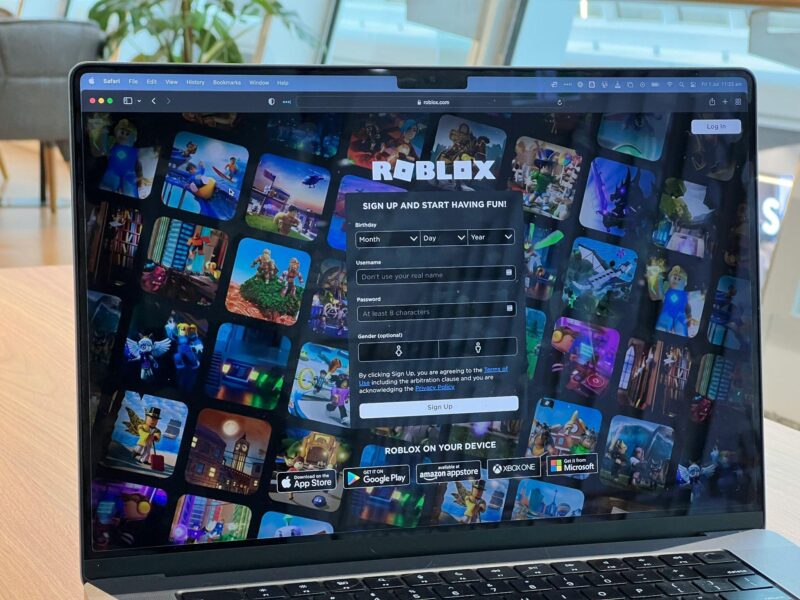
To register, head to the Modrinth homepage and click Sign Up in the top-right corner. You can register with a traditional email/password combo or use single sign-on through GitHub, Discord, Google, or Microsoft. The GitHub option is particularly popular with mod developers, as it streamlines the project upload process later.
Once registered, your profile lets you manage followed projects, view download history, and organize mods into custom collections, handy if you maintain multiple modpacks or playstyles.
Browsing and Searching for Mods
Modrinth’s search is one of its strongest features. From the main page, you can filter by project type (mods, modpacks, resource packs, shaders), mod loader (Fabric, Forge, Quilt, NeoForge), Minecraft version, and categories (technology, magic, adventure, optimization, etc.).
The search bar supports basic keywords, but the real power is in the filters. Looking for Fabric mods compatible with Minecraft 1.20.4 that improve performance? Set those filters and the results narrow instantly. Each project page displays compatibility info, dependency requirements, download counts, and update frequency.
One underrated feature: the Version tab on each project page. This shows exactly which Minecraft versions are supported, which mod loader versions are required, and any breaking changes between updates. It’s far more detailed than CurseForge’s version listings and saves a ton of troubleshooting time.
Installing Modrinth Mods with Popular Launchers
Modrinth’s open API means it integrates seamlessly with most modern Minecraft launchers. You have several options depending on your preferred workflow.
Using Modrinth with Prism Launcher
Prism Launcher (a fork of the discontinued MultiMC) is arguably the best third-party launcher for Modrinth integration. It’s open-source, lightweight, and supports direct mod browsing from within the launcher.
To add Modrinth mods through Prism:
- Open Prism Launcher and select your Minecraft instance.
- Click Edit Instance, then navigate to the Mods tab.
- Click Download Mods in the top-right corner.
- The built-in browser connects to Modrinth’s API, letting you search and filter mods.
- Select a mod, choose the appropriate version for your Minecraft build and mod loader, then click Select mod for download.
- Prism automatically downloads and installs the mod, placing it in the correct mods folder.
Dependencies are handled automatically in most cases. If a mod requires Fabric API or another library, Prism will prompt you to download it. This makes assembling a modded instance painless, especially compared to manual installation.
Installing Mods Through the Official Modrinth App
The Modrinth App launched in 2024 and has matured into a full-featured launcher. It handles profiles, mod management, and modpack installation in a single interface.
After downloading the Modrinth App from the official site (available for Windows, macOS, and Linux), you can create a new profile by selecting your Minecraft version and preferred mod loader. The app integrates with your existing Minecraft installation or downloads it fresh if needed.
Installing mods is intuitive:
- Open your profile and click Add Content.
- Browse or search Modrinth’s library directly in the app.
- Click Install on any mod, and the app handles the rest, dependencies included.
The app also checks for mod updates automatically and can batch-update all outdated mods with a single click. It’s the most user-friendly option for players who want a simple, all-in-one solution.
Manual Installation for Advanced Users
Sometimes you need to install a mod manually, maybe you’re debugging a custom modpack or using a non-standard launcher. The process is identical to any Minecraft mod installation:
- Download the mod’s .jar file from the Modrinth project page. Make sure you grab the correct version for your Minecraft build and mod loader.
- Locate your Minecraft mods folder. On Windows, this is typically
%appdata%.minecraftmods. On macOS, check~/Library/Application Support/minecraft/mods. Linux users will find it at~/.minecraft/mods. - Drop the .jar file into the mods folder. No extraction needed, Forge and Fabric load mods directly from .jar files.
- Launch Minecraft with the appropriate mod loader profile.
If the mod has dependencies (like Fabric API or library mods), you’ll need to download and install those separately. The Modrinth project page lists all dependencies under the Relations section, with direct download links.
Top Modrinth Mods Every Minecraft Player Should Try in 2026
Modrinth’s library has grown enough that curating a list is tough, but these mods represent the best of what the platform offers in 2026, across performance, content, and quality-of-life improvements.
Performance and Optimization Mods
If you’re still running vanilla Minecraft without performance mods, you’re leaving serious FPS on the table. These are essential:
- Sodium (Fabric): The gold standard for rendering optimization. Sodium can double or triple your framerate without changing gameplay. It’s a must-have for Fabric users and works beautifully on everything from budget laptops to high-end rigs.
- Lithium (Fabric): Complements Sodium by optimizing server-side and client-side game logic. Reduces tick lag, improves chunk loading, and smooths out mob AI calculations.
- Starlight (Fabric/Forge): Completely rewrites Minecraft’s lighting engine, fixing lag spikes during chunk generation and making night-to-day transitions buttery smooth.
- FerriteCore (Fabric/Forge): Reduces Minecraft’s memory footprint by optimizing how the game stores block and item data. Particularly useful if you’re running large modpacks or have limited RAM.
- Noisium (Fabric): A newer addition in late 2025, Noisium optimizes world generation algorithms. If you spend a lot of time exploring or generating new chunks, this cuts load times noticeably.
These five mods stack well together and form the backbone of most optimized Fabric setups in 2026. Forge users should look at Embeddium and Oculus as Sodium/Iris alternatives.
Content and Adventure Mods
Once your game is running smoothly, it’s time to expand what you can actually do:
- Terralith (Datapack/Mod): Overhauls world generation with over 100 new biomes while keeping the vanilla aesthetic. No new blocks are added, it just rearranges existing ones into stunning landscapes.
- Create (Forge/Fabric): Still the king of mechanical engineering mods. Build functional machines, automated farms, and moving contraptions using a physics-based system. The Fabric port stabilized in early 2025, making it accessible to both loader communities.
- Hex Casting (Fabric): A magic mod built around programming spells with geometric patterns. It’s as close as Minecraft gets to a coding puzzle game, and the learning curve is part of the charm.
- Supplementaries (Forge/Fabric): Adds hundreds of small decorative and functional blocks that feel like they should’ve been in vanilla. Banners that wave, functional wind chimes, and item shelves that actually display your gear.
- YUNG’s Better Dungeons, Mineshafts, Strongholds, etc. (Forge/Fabric): A series of structure overhauls that make exploring actually exciting. Vanilla dungeons are pathetic: YUNG’s versions are multi-level affairs with loot worth the risk.
Many of these have cross-loader support now, so Forge vs. Fabric isn’t the barrier it used to be.
Quality of Life and Enhancement Mods
Small improvements that make Minecraft less frustrating to play:
- Inventory Profiles Next (Fabric): Adds smart sorting, auto-refill for tools and food, and inventory management shortcuts. Once you’ve used it, going back to vanilla feels barbaric.
- AppleSkin (Fabric/Forge): Shows hidden hunger and saturation values, so you actually know which foods are efficient. Vital for hardcore runs.
- Jade (Fabric/Forge): The modern successor to WAILA/HWYLA. Hover over any block or entity to see what it is, what mod it’s from, and relevant stats. Essential for modpacks.
- Xaero’s Minimap + World Map (Fabric/Forge): The cleanest minimap and world map combo. Lightweight, customizable, and with waypoint support. Still the gold standard in 2026.
- MouseTweaks (Fabric/Forge): Adds drag-to-move and right-click-drag for inventory management. Such a small change, but it saves hundreds of clicks per play session.
These aren’t flashy, but they’re the mods that stay installed across every profile.
Creating and Uploading Your Own Mods to Modrinth
If you’ve built a mod, whether it’s a simple quality-of-life tweak or a massive content expansion, Modrinth makes distribution easier than CurseForge ever did.
Setting Up Your Mod Project
Before uploading, you’ll need a few things in order:
- A built mod file (.jar) that’s tested and functional on the target Minecraft and mod loader versions.
- A clear project name that describes what the mod does. Avoid generic names, “Better Mining” is taken a hundred times: “Veinminer Plus” is specific.
- Icon/logo artwork (optional but highly recommended). A 512×512 PNG makes your project stand out in search results.
- Detailed description that explains what the mod does, how to use it, and any dependencies. Markdown formatting is supported, so use headers, lists, and images to make it readable.
- Screenshots or a video showing the mod in action. Projects with media get significantly more downloads.
If your mod is open-source (and it should be, Modrinth’s community values transparency), link your GitHub repository. Modrinth can auto-generate changelogs from your Git commits, saving time on every update.
Understanding Modrinth’s Submission Guidelines
Modrinth’s submission process is more automated and less bureaucratic than CurseForge, but there are still rules:
- No malware or malicious code. This should be obvious, but Modrinth scans uploads and will ban projects that violate this.
- No content that violates Minecraft’s EULA or copyright. Mods that include ripped game assets, stolen code, or DMCA-infringing content will be removed.
- Clear licensing. You must specify a license (MIT, GPL, ARR, etc.). Modrinth supports all standard open-source licenses and also allows “All Rights Reserved” if you want to restrict redistribution.
- Accurate metadata. Tag your mod loader(s), Minecraft versions, and categories correctly. Mistagging gets your project buried in search results or flagged by moderators.
Once you’ve created your project page, uploading new versions is simple. You can do it manually through the web interface or automate it using Modrinth’s API and tools like Minotaur (a Gradle plugin) or the Modrinth Maven. Many developers set up CI/CD pipelines that automatically publish new versions when they push a Git tag.
Modrinth also supports draft versions, so you can upload a beta build, share the link with testers, and only publish publicly once it’s stable. This workflow is cleaner than CurseForge’s alpha/beta system.
Troubleshooting Common Modrinth Issues
Even with Modrinth’s clean design and good mod management tools, things can go wrong. Here’s how to fix the most common problems.
Mod Compatibility and Conflict Resolution
Mod conflicts are the #1 cause of crashes and strange behavior. The symptoms vary: the game won’t launch, certain features break, or you get random crashes during gameplay.
Step 1: Check your logs. Minecraft generates crash reports in the .minecraft/crash-reports folder and logs in the logs folder. The latest.log file is your best friend. Look for lines that mention specific mods or “incompatible” errors.
Step 2: Verify mod loader and Minecraft versions. A Fabric mod won’t work with Forge, and a mod built for 1.20.4 probably won’t work on 1.20.1. Modrinth’s project pages list exact compatibility, so double-check.
Step 3: Check for missing dependencies. Many mods require libraries like Fabric API, Cloth Config, or Architectury. If a mod lists dependencies on its Modrinth page, you need all of them installed.
Step 4: Test mods individually. If you can’t pinpoint the conflict, remove all mods except one, then add them back one at a time until the crash reappears. It’s tedious, but it works.
Some mods are known to conflict, for example, two mods that both overhaul the same game mechanic (like mob AI or lighting) will often clash. Check the modding community forums for known incompatibilities if you suspect this is the issue.
Download and Installation Errors
Occasionally, downloads fail or mods don’t load properly even when correctly installed.
Download fails or corrupts: This is rare with Modrinth’s CDN, but if a file won’t download, try a different browser or disable browser extensions (especially ad blockers, which can sometimes interfere). You can also use a download manager like JDownloader if the issue persists.
Mod doesn’t appear in-game: First, confirm it’s in the correct mods folder. If you’re using multiple Minecraft instances or launchers, you might’ve dropped the file in the wrong location. Second, check if the mod loader is actually installed, Fabric mods need Fabric Loader, Forge mods need Forge. This sounds obvious, but it’s a common mistake.
“Incompatible mod set” error: This usually means a version mismatch. One or more mods are built for a different Minecraft version than what you’re running. Go through each mod and verify the version number matches your game build exactly.
Mods load but features are missing: Some mods require specific config changes to enable certain features, especially if they’re designed to be modpack-friendly and ship with conservative defaults. Check the mod’s config files (usually in .minecraft/config) or the project’s wiki on Modrinth.
The Future of Modrinth and Minecraft Modding
Modrinth’s trajectory over the past few years suggests it’s not just a flash in the pan, it’s here to stay, and its influence on the modding ecosystem is growing.
One major development is the continued expansion beyond Minecraft. While Minecraft remains the platform’s core focus, Modrinth has started supporting other moddable games, with early support for titles like Vintage Story and Rift. This diversification mirrors how Nexus Mods evolved from a Bethesda-focused site into a multi-game powerhouse.
On the technical side, Modrinth is investing heavily in infrastructure. The team has hinted at upcoming features like enhanced modpack tools, better version management for developers, and tighter integration with version control systems like GitHub. There’s also talk of improved monetization options for creators, ways to support mod development without compromising the user experience with ads or paywalls.
The relationship between Modrinth and CurseForge is also evolving. Rather than a winner-take-all scenario, the platforms are settling into coexistence. Many major mods now release simultaneously on both, and cross-platform tools like Prism Launcher support both APIs, letting users choose based on preference rather than exclusivity.
For Minecraft itself, modding continues to thrive even though (or perhaps because of) Mojang’s relatively hands-off approach. The shift toward faster update cycles, with major versions every few months, has pressured mod loaders and modders to adapt quickly. Modrinth’s faster update propagation and clearer version tagging make this easier, which is why newer mods tend to appear on Modrinth first before being ported to other platforms.
The wild card is whether Microsoft or Mojang will ever create an official mod marketplace or tighter integration for Java Edition, similar to what exists on Bedrock. If that happens, platforms like Modrinth and CurseForge could face serious competition, or, more likely, they’d become the de facto third-party alternatives for players who want freedom and flexibility over a walled garden.
Bottom line: if you’re serious about modding Minecraft in 2026, Modrinth isn’t just an option, it’s essential. The platform’s growth, developer support, and user-first design make it a cornerstone of the modern modding ecosystem. Whether PC gaming coverage highlights it or not, Modrinth has already cemented its place in Minecraft’s history.
Conclusion
Modrinth has gone from scrappy newcomer to a pillar of the Minecraft modding scene in just five years. Its combination of speed, transparency, and developer-friendly tools has won over a significant chunk of the community, and its continued growth shows no signs of slowing.
Whether you’re installing your first performance mod, building a massive modpack for your server, or publishing your own creation, Modrinth offers the tools and infrastructure to make the process smoother. The platform isn’t perfect, CurseForge still has a larger library, and some older mods will never migrate, but for most players in 2026, Modrinth is the better experience.
If you haven’t explored the platform yet, now’s the time. Set up an account, browse the library, and see what the modern modding ecosystem has to offer. Minecraft is at its best when it’s modded, and Modrinth makes that easier than ever.