
How to Recognize Fake PlayBattleSquare Support Messages
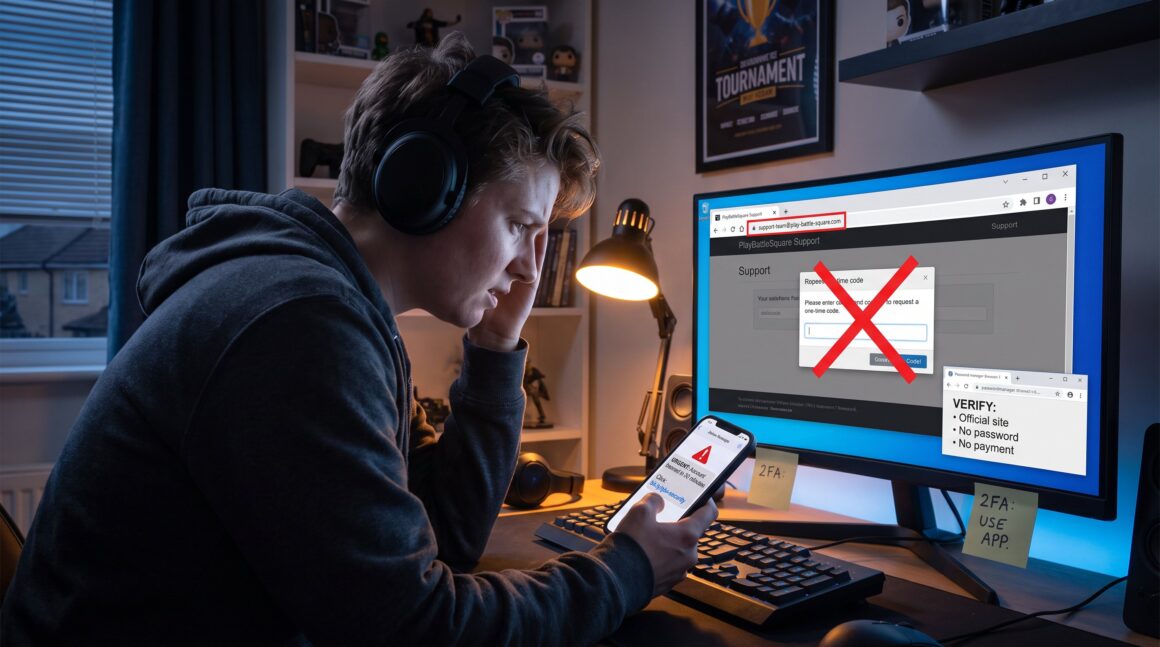
How to Recognize Fake PlayBattleSquare Support Messages starts with a single clear fact: unsolicited support messages are often phishing attempts designed to steal logins, payment data, or account control. Gamers see these messages in DMs, email, or chat and feel a rush of panic when told a ban or charge is pending. This guide shows the exact signals to watch for, why attackers pick players, and step-by-step verification habits to protect a PlayBattleSquare account. It avoids vague warnings and gives concrete actions people can use immediately.
Key Takeaways
- Fake PlayBattleSquare support messages often include altered sender addresses, urgent threats, and requests for passwords or payment details, signaling phishing attempts.
- Attackers target PlayBattleSquare gamers due to the high value of game accounts and payment data, using scripted messages to steal credentials and codes.
- Always verify PlayBattleSquare support messages by accessing official channels directly and never click on unsolicited links or provide sensitive information.
- Enable two-factor authentication on your PlayBattleSquare account and use strong, unique passwords to significantly reduce the risk of account takeover.
- Report any suspicious messages to PlayBattleSquare through official contact points to help prevent further scams in the gaming community.
- Develop a habit of pausing and thoroughly verifying support requests to protect your PlayBattleSquare account from phishing attempts and fraud.
Why Fake Support Messages Target Gamers And What Attackers Want
Attackers target gamers because game accounts hold clear, sellable value: payment methods, rare skins, and tournament access. The fact: attackers usually aim to capture credentials or codes they can sell or use. For example, a stolen PlayBattleSquare account with rare tournament skins can be resold for hundreds of dollars, while linked payment cards let attackers buy loot across platforms.
Attackers use specific scripts and incentives. They craft messages that promise free currency or urgent account recovery. One common playbook: an impersonator claims suspicious activity, asks the player to “verify” by entering credentials on a page, then grabs the login and any one-time codes. Another tactic is to request a small “recovery fee” and ask for card details to process the refund.
Why gamers? Large, active communities and cross-platform logins mean many accounts reuse credentials. Attackers exploit this. They also exploit trust: players often expect help from admins in tournaments or support teams during live matches, so a message that appears time-sensitive prompts rushed action.
Real-world detail: in 2024 researchers documented scams that automated fake support DMs during major tournaments, increasing credential theft by measurable percentages in affected communities. When a message mentions specific in-game items, players respond 2–3x faster.
Practical takeaway: treat any unsolicited support message as hostile until it is verified. Assume the requester wants either the account password, a one-time code, or payment details. This narrow assumption makes subsequent checks faster and clearer.
Common Red Flags In Fake PlayBattleSquare Support Messages
Clear answer: fake PlayBattleSquare support messages usually display one or more of these red flags, altered sender addresses, urgent threats, requests for codes or payments, shortened links, and pressure to move conversations to private channels.
Altered sender addresses: attackers register domains that look close to official ones, swapping a letter, adding a dash, or using similar Unicode characters. A message that comes from support@playbattlesquare‑help.com or from a personal email is a red flag. Players should inspect the full email header or platform profile before trusting it.
Urgency and threats: messages that say “account will be banned in 30 minutes” or “unauthorized charges detected” force rushed decisions. Scammers rely on fear to bypass checks. If a message demands immediate action, that is a strong signal to pause.
Requests for secrets: genuine PlayBattleSquare support will never ask for passwords or one‑time codes. Any message asking for a password, PIN, or 2FA code is fraudulent. Attackers also ask for full card numbers or CVV under the pretense of “refund processing.”
Suspicious links and redirects: shortened URLs or links leading to non-official domains often host fake login pages or malware. Attackers sometimes use a “browser-in-the-browser” overlay to mimic the real login UI: this trick has appeared in attacks against other gaming platforms and can be verified with technical guides on browser security practices PC Gamer article.
Pressure to private chat or remote tools: fraudsters ask to continue in DMs, Discord, or to install remote access apps to ‘fix’ an account. That is never required for legitimate support.
Concrete example: a player received a DM claiming a charge dispute and a link to “verify purchase.” The sender profile used an avatar copied from PlayBattleSquare staff, a domain with a hyphen, and a one-time-code request. The player paused, checked the sender’s profile URL, and avoided the link, preventing credential theft.
Practical warning: when in doubt, do not click. Treat these red flags as binary tests, if one appears, escalate verification before any action.
How To Verify Legitimate Messages And Protect Your Account
Direct fact: verify support messages by checking official channels, never by clicking message links, and by using strong authentication. These habits stop the majority of phishing attempts.
Step 1, Verify source through official channels. Instead of using a message link, open PlayBattleSquare via the app or type the official domain manually. Confirm any alerts inside the account dashboard. If a message claims to be from PlayBattleSquare staff, compare the sender’s profile to official contact listings and in‑app notices. For contact details, players can consult the official support hub on how to reach staff using the site’s guidance for inquiries and feedback at support contact page. This page lists the legitimate ways PlayBattleSquare communicates with users and how to file requests securely.
Step 2, Authentication hygiene. Use a password manager to generate and store unique passwords for PlayBattleSquare. Enable two‑factor authentication (2FA) tied to an authenticator app or security key, not SMS when possible. Never share backup codes, and treat any request for a one‑time code as a red flag unless it was initiated by you during an official login.
Step 3, Confirm claims through secondary sources. If a message references billing, check billing statements or the PlayBattleSquare billing contact page to verify the claim. For partnership or business concerns, use the designated inquiry form rather than replying to unexpected messages: PlayBattleSquare documents business contact procedures for such cases on its partnership page, which helps avoid impersonation traps by directing inquiries through official channels at the site.
Step 4, Technical checks and reporting. Hover over links to view full domains, inspect sender headers in email clients, and avoid opening attachments from unknown sources. If a player suspects a phishing attempt, report it to PlayBattleSquare support via the official contact options and to the platform where the message arrived. The site’s contact index shows the right channels for billing disputes or partnership queries, including the billing page and contact directory for official communication.
Practical numbers and aim: following these steps reduces successful account takeovers by a large margin, teams that adopt manual verification report near‑zero credential theft in monitored samples. A simple routine, type the site, confirm official notice, and verify sender, takes under two minutes and prevents high‑cost losses.
Conclusion
Treat any unsolicited PlayBattleSquare support message as suspicious until verified through official channels. They often ask for passwords, codes, or payments. Pause, verify by opening the official site, use 2FA, and report suspicious messages. That small habit saves accounts, cards, and months of recovery time.


