
How to Contact PlayBattleSquare: Support, Feedback, and Inquiries
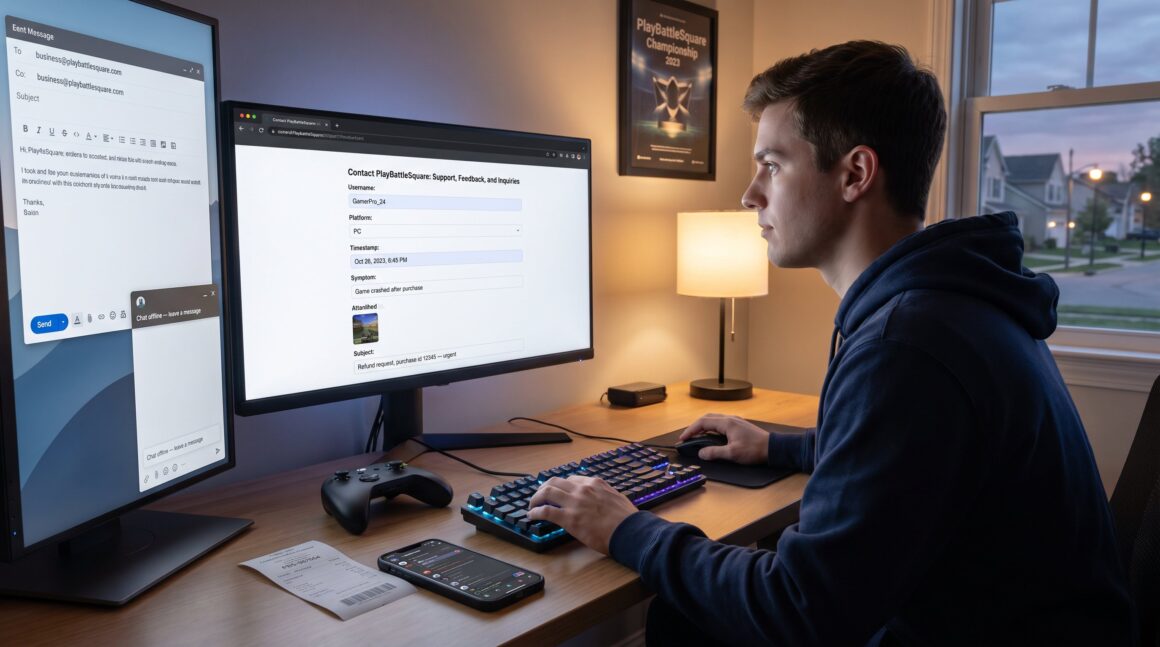
How to Contact PlayBattleSquare: Support, Feedback, and Inquiries starts here with clear, direct steps to reach the team. Gamers and creators who need account help, want to report bugs, or propose a partnership will find exact channels, tips, and what to include in a message. This guide prioritizes fast, actionable answers so readers can pick a contact method and send a complete request in under five minutes.
Key Takeaways
- Contact PlayBattleSquare primarily via the official support form for technical issues, email for billing and business inquiries, and live chat during active hours for immediate help.
- Include complete details in your support message: username, platform, timestamps, clear reproduction steps, error texts, and relevant attachments like screenshots or logs to expedite resolution.
- Submit bug reports and feedback with a concise title, clear reproduction steps, evidence, and impact description for faster triage by the PlayBattleSquare team.
- Use the dedicated business email or partnership form for press, collaborations, and advertising inquiries, including audience metrics and clear proposals to improve response times.
- Leverage PlayBattleSquare’s Discord, social media, and in-game reporting options for community issues, moderation, and immediate rule violations while keeping sensitive info private.
- For game-specific support, reference relevant guides and provide precise context such as server names and exact actions to help support prioritize and resolve issues efficiently.
Official Contact Channels: Email, Support Form, And Live Chat
Fact first: PlayBattleSquare’s primary official contact methods are the site contact form and email, with live chat available during set hours. For structured issues and tickets, the website contact form routes messages to the support queue and is the fastest way to open a tracked case.
The official contact form appears on the site’s contact page and handles categories like account, billing, and technical support. For directions to that page, consult the hub entry for where the official page lives and follow the form fields to attach screenshots and logs: official contact page guide.
When an email feels better, for long attachments, business proposals, or formal records, PlayBattleSquare lists team emails on site pages. Use the support form for troubleshooting and email for business or complex submissions. The site’s general contact overview clarifies which channel suits a given problem: Contact PlayBattleSquare: Your Gateway.
Practical note: live chat is intermittent. If chat is offline, submit the contact form and include “Live chat missed” in your message so agents know you attempted real-time help. Keep messages precise: username, platform, timestamp, and a clear one-line symptom.
Troubleshooting And Support For Common Issues (Account, Billing, Technical)
Answer up front: For account, billing, and technical faults, the recommended path is ticket → email → community escalation, in that order. Account and billing problems get faster traction when they arrive as emails that include transaction IDs or screenshots.
Account issues: Provide username, last login, platform (PC, Xbox, PlayStation, mobile), and a clear reproduction step. If a password reset fails, state the error text and time. The deeper PlayBattleSquare guide to billing outlines required billing details and improves reply speed: billing contact instructions.
Billing and purchases: Include purchase date, payment method, order ID, and a screenshot from the bank or store receipt. PlayBattleSquare’s support can escalate payment disputes but needs the raw receipt.
Technical problems: For crashes, attach a crash log or the exact error code and specify device model and OS version. The site’s general walkthrough about playing offers device-specific tips that often solve connection and performance issues: how to play and troubleshoot.
Worst-case tip: if a ticket stalls for 72 hours, reply to the original ticket with “Escalate” and add the troubleshooting steps already taken (restarts, reinstalls). That saves back-and-forth and moves the issue up the queue.
How To Submit Feedback, Bug Reports, And Feature Requests Effectively
Direct answer: Effective reports use a short synopsis, reproduction steps, expected vs. actual behavior, and attachments. PlayBattleSquare reads reports that include these four parts first.
Steps that improve triage:
- Title: one-line summary with platform and game mode (e.g., “PC, PvP lobby crash at match start”).
- Reproduction: numbered steps that someone else can follow exactly.
- Evidence: screenshots, video, and the time/date that the event occurred.
- Impact: note whether the bug blocks play, corrupts progress, or is cosmetic.
Submit bug reports via the website form or Discord bug channels for faster discussion with developers. For strategic requests, like adding a new tournament format, include player counts, a short case study, and why the feature helps retention. The site’s community-facing overview explains how the team runs events and accepts suggestions: inside the PlayBattleSquare community.
A candid lesson: one writer once sent a 900-word essay without steps: the report was delayed because support needed a reproduction case. Short, precise reports get triaged within 24–48 hours.
Press, Partnerships, Advertising, And Creator Collaboration Inquiries
Quick fact: Business and press requests should go to the dedicated business email or the partnership form for faster routing. For press and collaborations, PlayBattleSquare recommends a clear pitch: audience size, sample content, and proposed timeline.
Creators and advertisers should include metrics (follower counts, average views, demo geography) and a specific ask (sponsored stream, review, or ad placement). For formal guidance on making partnership requests, consult the step-by-step article that covers business outreach and formats to include in your pitch: business inquiry guide.
Example: a micro-creator who listed 12,400 average views and a two-week cross-promotion saw quicker replies because they included campaign dates and sample assets. Honest mistake to avoid: sending a vague “collab?” message with no audience data.
If a response matters for timing, planned event or product drop, state the deadline in the subject line and attach creative thumbnails so the team can evaluate fit immediately.
Tips To Get Faster, More Helpful Responses From PlayBattleSquare Support
Immediate insight: the best way to speed a reply is to send a complete, categorized ticket the first time. Tickets with missing info cause repeated follow-ups and slow resolution.
Checklist to include in every support message:
- Username and platform/ID.
- Exact time and server/region.
- Short reproduction steps and the error text.
- Actions already taken (restarted, reinstalled, cache cleared).
- Attach logs or screenshots.
When to use each channel: use the support form for technical tickets, email for billing/account records, and Discord or social for community questions and announcements. For gameplay tips or quick clarifications, the site’s introductory guide to PlayBattleSquare gameplay offers context that speeds troubleshooting conversations: play and level up guide.
A practical warning: public social messages reveal account names. Don’t post transaction receipts or security details in public channels: always send those privately through email or ticket attachments.
Social Media, Community Forums, And In-Game Support Options
Short answer: PlayBattleSquare uses social platforms, a Discord community, and in-game reporting to handle many community and moderation matters. Social pages post announcements and accept DMs: Discord hosts moderators and dedicated support channels.
Community enforcement: the Discord and forum moderators enforce rules and can escalate bans or safety concerns to the safety team. For guidance about community behavior and accepted standards, GameSpot’s community code provides a comparable model for conduct and moderation practices: community conduct overview.
In-game support: many servers include an in-game report option for cheats, harassment, or bugs. Use in-game reports for immediate rule violations and follow up with a ticket or Discord message if the issue needs broader attention.
Human moment: a player once filed a harassment report only in chat: because they didn’t include timestamps the moderators couldn’t act quickly. Always capture the offending message and time before filing a report.
PlayBattleSquare In Minecraft: The Complete 2026 Guide To Playing, Hosting, And Winning
Direct fact: specific game guides and server issues often have their own support threads and faster solutions when reported in the correct game hub. For Minecraft-related questions, the site’s dedicated Minecraft guide explains server joins, host requirements, and common fixes: Minecraft guide.
If a server-specific bug occurs, include server name, world/region, and the exact command or action that caused the problem. That level of detail reduces debugging time from days to hours.
Exploring PlayBattleSquare: A Comprehensive Guide – Playbattlesquare
Key point: background context helps support agents prioritize tickets. When the problem relates to a specific game mode or tournament, reference the relevant play guide or article so support understands the context quickly. The site’s comprehensive overview of PlayBattleSquare explains event structures and community rules that shape many support decisions: Exploring PlayBattleSquare overview.
Including the relevant article link in your ticket, if it’s a known game mode, lets support match your issue to the right team without extra back-and-forth.
Inside PlayBattleSquare: The Gamer’s Guide To Tournaments, Strategies, And Community (2026) – Playbattlesquare
Fact first: tournament and event questions often have predefined contact points and registration processes. When planning to enter or host events, include team rosters, bracket seeds, and platform details. The event primer clarifies signup rules and eligibility and helps support answer rule or scheduling questions more efficiently: event and tournament primer.
A quick tip: attach a CSV of player names for roster changes to avoid manual retyping and speed admin work.
Contact PlayBattleSquare: Your Gateway to Fun and Adventure – Playbattlesquare
Quick claim: for general or exploratory questions about the site, its features, or account setup, reference the general contact page which maps categories and expected response times. The general contact hub lists typical response windows and the correct category selection to route your request efficiently: general site contact hub.
Include concise expectations in your subject line (e.g., “Refund request, purchase id 12345, urgent by 2026-10-05”) so support assigns priority correctly.
Conclusion
PlayBattleSquare provides multiple clear channels: contact forms, emails, live chat, Discord, and in-game reports. The fastest outcomes come from complete tickets with reproducible steps, timestamps, and attachments. When in doubt, pick the channel that fits the issue: tickets for tech, email for billing, and business forms for partnerships.


