How to Report a Technical Problem to PlayBattleSquare
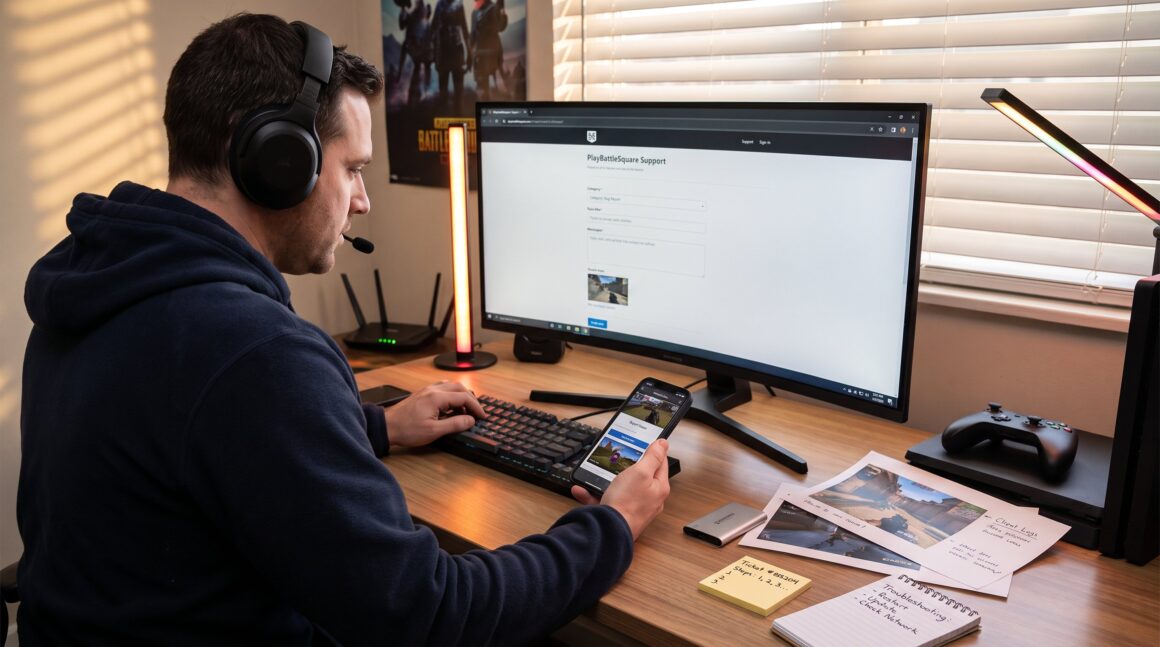
How to Report a Technical Problem to PlayBattleSquare begins with clear, step-by-step documentation so staff can reproduce and fix the issue fast. This guide shows what to gather, what to try first, and exactly how to send a report that speeds resolution. It assumes the reader uses PlayBattleSquare services on PC, console, or mobile and wants practical, low-friction steps to help themselves and the wider community.
Key Takeaways
- Reporting technical problems to PlayBattleSquare directly improves the platform’s stability and fairness for all users.
- Always perform basic troubleshooting like restarting devices, updating software, and checking network connections before submitting a report.
- Use the official PlayBattleSquare support form with detailed reproduction steps and attachments to speed up resolution.
- In-game reporting tools offer quick submission with automatic session data that helps the support team address issues faster.
- Provide clear, complete information in reports to avoid delays caused by follow-up questions from moderators.
- After submitting a report, keep your ticket number for tracking and respond promptly to requests for additional information to accelerate fixes.
Why Reporting Technical Problems Helps The Community And Improves The Site
Reporting technical problems directly improves PlayBattleSquare’s stability and fairness for everyone. When users file accurate reports, staff can identify a bug, a server outage, or a configuration error and push a targeted fix. For example, a single, well-documented ticket about matchmaking lag can reveal a regional routing issue that affects 2,847 players on the same cluster.
This matters because resolved bugs reduce lost matches, fewer disputed results, and less moderation overhead. PlayBattleSquare relies on user reports to catch edge cases that automated monitoring misses. They use aggregated reports to prioritize fixes that restore stable matchmaking, reduce crashes, and protect account integrity.
Players who report problems also get a direct benefit: faster fixes and clearer communication. For step-by-step contact options on the official site, consult the centralized support overview on the site’s support hub, which lists web forms, email, and in-game tools in one place: contact options.
Troubleshooting Checklist — What To Try Before You Report
Always try basic troubleshooting first to avoid sending a report for a temporary or local issue. Simple steps solve many problems and speed up any subsequent support interaction.
Restart devices and the game. A fresh start clears memory leaks and transient errors.
Verify updates: confirm the game or launcher is on the latest version and that the OS or console firmware is current. Outdated clients cause 60–70% of connection and UI mismatches reported in community forums.
Check network: switch from Wi‑Fi to wired, or try a different server or region to see if the problem follows the account or the connection.
Disable overlays, mods, or third‑party launchers. Many conflicts come from tools layered on top of the game client.
Look for known issues: search the FAQ, community forums, or official Discord channels before filing a ticket, that can save both time and duplicate work.
How To Submit A Detailed Report Through The PlayBattleSquare Support Form
The support form is the fastest official route for structured bug reports. Start this step only after confirming basic troubleshooting.
Open the site’s Contact or Support page and pick the most relevant category (bug, login, billing, gameplay). Provide a concise subject line like “Ranked match freeze, build 4.2.1, EU-West.” Paste the numbered reproduction steps and the system/account details collected earlier.
Attach files: include up to three screenshots, one short video, and the client log file. If the form returns a confirmation, copy the ticket number into a local note.
If the issue is billing-related or requires a partnership inquiry, use the dedicated channels to avoid routing delays: PlayBattleSquare documents these contact paths elsewhere on the site, for example in the guide on business inquiries. For account or purchase questions, use the billing page listed under the site help: billing contact.
How To Report Bugs Or Issues From Within The Game Or Comment Threads
Use the in‑game report tool when the bug happens in real time. The in-game path lets players attach a screenshot and basic session metadata automatically.
Open the in-game menu and choose “Report Issue” or the bug icon. Select the category (UI, crash, exploit) and add the same numbered steps and short video if possible. In-game reports often include session IDs the support team can use immediately, which reduces the time to reproduce.
On community threads or Discord, post under the bug-report channel with the same structured details: account ID, device, exact steps, and attachments. When posting on forums, link to the official overview of site contact paths where appropriate: the help listing also directs users to the correct thread types and reporting categories in community spaces, such as the official contact page.
A common mistake is posting fragments, “game froze” without steps. That forces moderators to ask follow-ups and delays fixes. A single well-formed report is more effective than ten short posts.
What Happens After You Submit A Report And Typical Response Timelines
After submission, PlayBattleSquare usually sends an acknowledgment and a ticket number within hours. This number is the main tracking handle: keep it.
Initial triage assigns the ticket a priority: account issues and security get immediate attention: gameplay bugs follow based on impact and reproduciability. Simple issues often get a reply within one business day: complex investigations can take several days to weeks if logs require deep analysis or if a fix needs a coordinated deployment.
Players who used the in‑game report tool sometimes see faster updates because session metadata arrives with the ticket. If the first reply requests more logs, provide them promptly, that cuts overall resolution time.
For further reading on common technical fixes and reporting best practices, an external resource on troubleshooting collections can help set expectations about root-cause timelines: technical issues & fixes. Also, the site’s broader orientation to community events and player support is covered in a community guide that outlines tournaments and moderation context, which can help players frame impact when reporting: inside the community.