Minecraft Bedrock 26.50.26 Beta: Every Major Change Explained

Abandoned Camp fixes, smoother long sessions, and expanded creator tools headline this 2026 test build.
Minecraft Bedrock Preview and Beta 26.50.26 arrived on August 18, 2026, with fixes for Abandoned Camps, Cushions, performance problems, and creator tools. It was followed by the smaller 26.50.27 update on August 25, so 26.50.26 is no longer the newest test build. However, it remains one of the more substantial previews for the third game drop of 2026.
This is a test release rather than a finished update. A preview is available on Xbox, PlayStation, Windows, and iOS, while Android players can access the beta through Google Play. Preview worlds may be unstable, so players should create copies before loading saves they want to preserve.
Key takeaways
● Abandoned Camps should collide with villages less frequently.
● Missing trees were restored to camps in Cherry Grove and Old Growth Birch Forest biomes.
● Several Cushion placement and interaction problems were corrected.
● Long-session stuttering and choppy menu controls received fixes.
● Vibrant Visuals can now reach a view distance of 48 on Windows.
● Editor and scripting updates give creators better tools for custom content.
● World clocks, custom inventories, and points of interest received experimental API support.
Abandoned Camps should generate more cleanly
Abandoned Camps are one of the central structures being tested for Minecraft’s third game drop of 2026. In earlier preview builds, camps could generate on top of villages, producing overlapping buildings, obstructed paths, and layouts that looked accidental.
Version 26.50.26 makes Abandoned Camps less likely to appear over villages. It does not promise that every generation conflict has been eliminated, but players testing fresh seeds should encounter fewer obvious collisions.
The update also restores trees that were sometimes missing from camps generated in Cherry Grove and Old Growth Birch Forest biomes. Players interested in how visibility changes large-world exploration can also read PlayBattleSquare’s guide to Distant Horizons in Minecraft.
Cushions receive another round of fixes
Cushions remain under active development. Fishing-rod bobbers now break them consistently when they stop inside the hitbox, and Cushions can be placed inside certain non-full blocks when another Cushion sits above them. The build also prevents incorrect stacking while a player is moving quickly, removes name tag renaming, and restores vibration events when Cushions are placed, broken, or used.
Performance improvements target long sessions
Mojang fixed in-world stuttering that could appear after a long session or after the game had remained suspended. A related fix addresses gamepad cursors that became choppy in menus, while animated Character Creator skins now use less memory.
Other stability fixes cover invalid render-controller expressions, older chunks becoming stuck during world loading, certain add-on disconnections and an iOS crash affecting the Realms world-editing screen.
Why stable performance matters across digital games
Players do not necessarily remain within one genre. An adult gaming session might move between a building game, a competitive title, and a digital casino platform. Although the formats are fundamentally different, users still expect responsive menus, clearly organized content, and reliable account sessions.
For instance, online casino developers know that those qualities are basic operational requirements. Long-running platforms must continually adjust to new devices, connection standards, payment systems, and user expectations. Jackpot City online casino, for example, has operated since 1998, spanning several generations of online technology. Its longevity illustrates the continuing need for digital gaming services to update their underlying systems as hardware and user habits evolve.
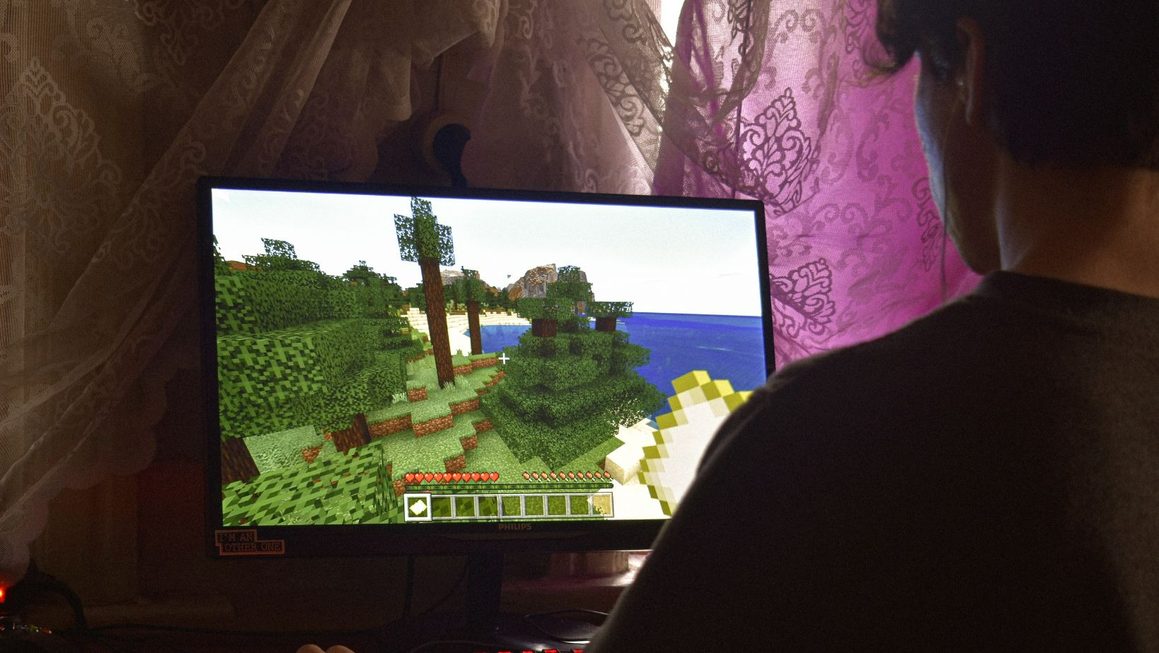
The same principle is reflected in Minecraft’s performance fixes: stable technology may attract less attention than new content, but it affects every player session.
Vibrant Visuals and interface changes
Windows players testing Vibrant Visuals can now raise the maximum view distance to 48. Results still depend on hardware, world complexity, and other graphics settings. Water surfaces should no longer show triangular gaps along banks, Poplar Door hinges gain metallic reflectiveness, Straw Bed pillows render correctly side by side, and Shelf Mushrooms display at the proper inventory scale.
Android users running the game in windowed modes, including Samsung DeX and pop-up view, should also find that touch areas align more accurately with visible buttons.
Better Editor tools for map creators
The Editor now displays clearer biome and block names in minimap tooltips, while custom biome colour changes appear immediately in both the biome list and minimap. Large block edits receive a more reliable undo function, and layout instances gain Undo and Redo support.
The Cinematic tool reorganizes keyframes into expandable panels containing timestamps, camera positions, rotation settings and easing information. The Primitives tool also offers faster placement and supports larger shapes.
WorldClock and Script API changes
Experimental scripting receives time markers and functions that let creators set, skip to, or rewind custom clocks. New events can detect when a clock is paused, resumed, restarted, or reaches a marker, while the experimental /time of command can add, set, pause, resume, and query time.
Custom blocks also gain experimental containers holding up to 54 item stacks, with scripting access to their inventories. Experimental custom points of interest can be defined in behavior packs and found by type or tag through /locate poi.
Should you install 26.50.26?
Players interested only in a stable survival world should remain on the standard Bedrock release. Preview and beta versions can contain unfinished systems, compatibility problems, and save-affecting bugs.
Creators and technically curious players have more reason to test it. Because 26.50.27 has already followed, testers should install the newest preview available on their platform. The full Minecraft Beta and Preview 26.50.26/27 changelog remains the best reference for every technical change.