Funny Minecraft Skins: 50+ Hilarious Designs to Make Your Friends Laugh in 2026
Minecraft’s charm isn’t just in the building or the survival mechanics, it’s in how players express themselves. And nothing says personality quite like strutting around your SMP server dressed as a sentient hot dog or a low-poly nightmare version of Shrek. Funny Minecraft skins have been a staple of the community since the game’s early days, turning multiplayer lobbies into comedy clubs and making even the grindiest mining sessions a little more bearable.
Whether you’re hunting for something absurdly cursed, a meme that’ll age like fine wine, or just want to confuse your friends during a hardcore raid, the right skin can elevate your Minecraft experience. This guide breaks down what makes a skin funny, where to find the best ones, and how to craft or install your own. Let’s jump into the weird, the wonderful, and the downright derpy world of hilarious Minecraft skins.
Key Takeaways
- Funny Minecraft skins elevate multiplayer gameplay by leveraging absurd designs, optical illusions, and pop culture parodies that turn servers into comedy hubs.
- The best funny skins embrace Minecraft’s blocky limitations—whether through distorted proportions, meme formats, or cursed character designs—rather than fighting them.
- Major skin databases like NameMC, The Skindex, and Planet Minecraft make finding and downloading trending funny skins easy, while community platforms like Reddit and Discord offer hidden gems and custom creations.
- Creating your own funny Minecraft skin requires commitment to the joke and strategic use of design tools like Nova Skin Editor, with tips including embracing low quality, adding small details, and testing from multiple angles.
- Installing funny skins differs between Java Edition (upload directly through minecraft.net or launcher) and Bedrock Edition (sync through Microsoft account or Marketplace), making customization accessible on all platforms.
- Coordinated group skins and themed multiplayer designs maximize comedy potential, from fast-food crews to evolution charts, when players commit to the premise and roleplay together.
What Makes a Minecraft Skin Funny?
Not every weird skin lands as comedy gold. The difference between “funny” and “trying too hard” comes down to execution, timing, and understanding what makes players actually laugh. Here’s what separates the memes from the duds.
Absurd Character Designs
Absurdity thrives in Minecraft’s blocky aesthetic. The 64×64 pixel canvas forces designers to get creative with limited space, which often results in hilariously distorted proportions or intentionally janky designs. Think giant floating heads with tiny legs, characters whose faces wrap around their entire body, or skins where the player model itself becomes part of the joke, like a skin that makes you look headless or gives you comically oversized arms.
The best absurd skins lean into Minecraft’s limitations rather than fighting them. A photorealistic face plastered onto a blocky body? That’s comedy. A perfectly normal human with spider legs? Even better. The uncanny valley hits different when it’s made of cubes.
Pop Culture Parodies and Memes
Memes have a half-life, but the good ones stick around forever. Skins based on viral moments, Doge, Pepe variants, the “This is Fine” dog, have staying power because they tap into shared internet culture. Pop culture spoofs work similarly: badly rendered versions of popular characters, celebrity faces stretched across player models, or mashups that shouldn’t exist but absolutely do.
The trick is timing. A skin based on a week-old TikTok trend might feel stale by next month, but classic meme formats from 2010-2015 have aged into nostalgic territory. That’s why you still see Trollface and Rage Comic skins floating around servers in 2026, they’re retro enough to be funny again.
Unexpected Optical Illusions
Some of the funniest skins mess with perspective. These designs use shading and strategic pixel placement to create effects that only work from certain angles, skins that make you look invisible from the front, designs that appear to have holes or missing chunks, or patterns that create the illusion of 3D depth on a flat surface.
Optical illusion skins shine in multiplayer. When players encounter one of these community tools for the first time, the confusion is instant and priceless. Your friends will do double-takes when your skin appears to phase through blocks or when your character looks like they’re constantly falling apart.
Top Categories of Funny Minecraft Skins
Funny skins come in flavors. Some players want wholesome absurdity, others want maximum chaos. Here are the major categories that dominate skin databases and server lobbies.
Food-Themed Skins That’ll Make You Hungry
Turning your player into sentient food never gets old. The food category ranges from wholesome (a smiling slice of pizza, a happy taco) to deeply cursed (anatomically detailed chicken nuggets, a hyperrealistic banana with human teeth). Popular picks include:
- Hot dog skins with condiment variations
- Watermelon slice characters
- Moldy cheese for peak grossness
- Giant walking burgers complete with lettuce hair
- Ramen bowl skins where the noodles form the body
Food skins work because they’re immediately recognizable and inherently silly. Nobody expects to see a six-foot-tall bread loaf mining diamonds, and that’s exactly why it works.
Animal Mashups and Ridiculous Creatures
Why have a normal cat skin when you can be a cat-octopus hybrid? Animal mashups take two creatures that shouldn’t coexist and slam them together with zero regard for biology. Think duck-rabbit combos, spider-pigs, or the classic “what if a frog but also a businessman.”
Ridiculous creature skins also include:
- Derpy versions of real animals (googly-eyed dogs, cross-eyed cats)
- Cryptids and internet legends (Moth Man, long Furby)
- Animals in unexpected situations (sharks in suits, penguins with six-packs)
- Cursed Pokémon variants that Nintendo would never approve
The weirder the combination, the better. If you can’t immediately explain what you’re looking at, the skin is doing its job.
Celebrity and Character Spoofs
Low-effort celebrity skins are an art form. We’re not talking about lovingly crafted tribute skins, we mean the ones where someone took a celebrity’s face, stretched it across a player model, and called it a day. These skins are funny specifically because they’re slightly wrong.
Popular targets include:
- Nicolas Cage variations (he’s inexplicably perfect for this)
- Minecraft YouTuber parodies with exaggerated features
- Movie characters rendered in MS Paint quality
- Politicians as various mobs (make of that what you will)
- Danny DeVito (no explanation needed)
The humor comes from recognition plus distortion. When your buddy spawns into the server as a vaguely threatening Steve Buscemi, everyone notices.
Derpy and Low-Quality Versions of Popular Characters
High-quality character skins are impressive. Low-quality character skins are hilarious. There’s an entire subgenre dedicated to intentionally terrible versions of beloved characters, Mario but his face is sideways, Sonic with human teeth, Pikachu but he’s been through some stuff.
These skins work because they subvert expectations. Players recognize the character immediately, but something is deeply, fundamentally wrong. The eyes are too far apart. The proportions make no sense. It looks like it was designed in five minutes on a phone. That’s the appeal.
The Best Funny Minecraft Skins to Download Right Now
Ready to upgrade your look? Here are specific skin types that dominate download charts and server lobbies in 2026.
Classic Meme Skins
Some memes are eternal. These skins have been circulating for years and show no signs of dying:
- Doge variants (original, swole Doge, crying Cheems)
- Wojak collection (doomer, coomer, yes chad)
- Pepe formats (sad frog, smug Pepe, rare variants)
- Trollface and Rage Comics (retro nostalgia hits hard)
- Big Chungus (still somehow relevant)
- Ricardo Milos (the dancing legend)
- Ugandan Knuckles (controversial but undeniably part of history)
Many game guides recommend cycling through classic memes for maximum server reactions. These skins are instantly recognizable across age groups and gaming communities.
Internet Culture and Viral Trend Skins
Fresher than classic memes but more stable than week-old trends, these skins capture internet moments that have lasting power:
- Gigachad in full blocky glory
- Sigma male grindset themed skins
- “No Bitches?” meme variants
- Questioning cat (the white cat at dinner table)
- Grimace Shake survivor editions
- Ankha Zone references (SFW versions, obviously)
- Backrooms entity skins for horror servers
Viral trend skins walk a fine line. Pick ones that have already proven staying power rather than jumping on every new TikTok sound. If a meme has lasted six months, it’ll probably survive another six.
Cursed and Intentionally Ugly Skins
Some players don’t want to be funny-cute. They want to be funny-horrifying. Cursed skins embrace discomfort, uncanny valley effects, and designs that make people ask “why would you create this?”
Top cursed categories:
- Realistic human features on blocky bodies (especially eyes and teeth)
- Body horror mashups (multiple faces, wrong number of limbs)
- Stretched or compressed character variations
- Photorealistic animal faces on human proportions
- “Corporate needs you to find the difference” meme skins
- Liminal space entities (backrooms, poolrooms creatures)
- Biblically accurate angels (all eyes and wings)
Cursed skins are perfect for Halloween events, horror-themed servers, or just making your friends deeply uncomfortable during a casual build session. Mission accomplished.
Where to Find and Download Funny Minecraft Skins
Finding quality funny skins requires knowing where to look. Here’s where the community congregates.
Popular Skin Websites and Databases
Several major platforms host thousands of user-submitted skins with search and category filters:
NameMC remains the largest Minecraft skin database in 2026. Their tagging system lets you filter by “funny,” “meme,” “cursed,” or specific characters. The site shows skin previews from multiple angles and displays download counts, helping you spot trending designs.
The Skindex offers similar functionality with a cleaner interface. Their “random skin” button is dangerously addictive when you’re browsing for comedy gold. They also host a skin editor directly on the site.
Planet Minecraft has a dedicated skins section with community ratings and comments. The voting system helps surface genuinely funny designs over low-effort submissions. Their collection includes both Java and Bedrock-compatible skins.
MinecraftSkins.com keeps it simple: browse, search, download. No account required for basic downloads, though creating one lets you favorite skins and track your collection.
Nova Skin combines a skin database with editing tools. Their gallery includes community challenges and themed collections, often featuring holiday-specific funny skins or trend-based compilations.
Community Forums and Reddit
Sometimes the best skins don’t make it to major databases. Community spaces often host hidden gems:
r/MinecraftSkins is the primary Reddit hub for skin sharing. Sort by “top of the month” to catch trending funny designs before they hit mainstream databases. The community actively critiques and improves submissions.
r/Minecraft occasionally features skin showcases, especially for funny or creative designs that gain traction. Comments often link to download sources or creator profiles.
Discord servers dedicated to specific SMPs or Minecraft communities often maintain private skin collections. Many build guides communities also curate themed skin packs for events.
Planet Minecraft forums have dedicated skin request and showcase threads where creators post original designs. The forum structure makes it easier to follow specific creators whose humor style matches yours.
Community spaces also let you request custom funny skins or variations on existing designs. If you can’t find exactly what you’re looking for, someone might create it.
How to Create Your Own Funny Minecraft Skin
Downloaded skins are great, but nothing beats custom comedy. Creating your own funny skin gives you complete control over the joke.
Using Skin Editors and Design Tools
You don’t need professional art skills to create funny skins, you just need the right tools:
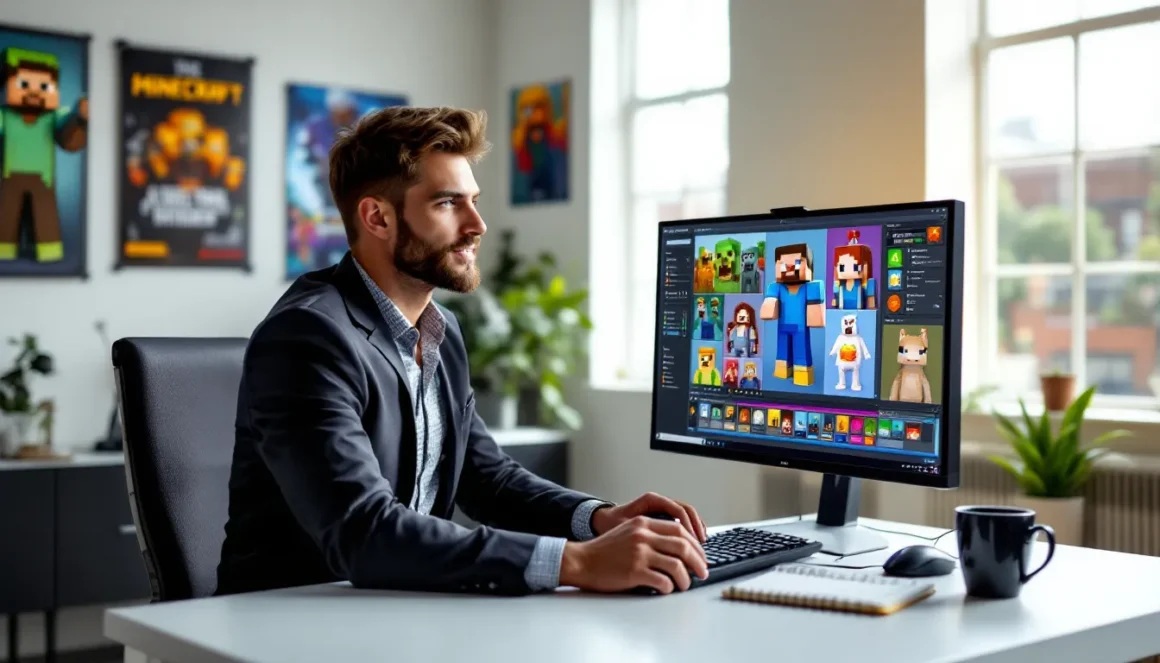
Nova Skin Editor is the most popular browser-based option. It offers both 2D and 3D views, letting you paint directly on the player model while seeing results in real-time. The tool includes pre-made parts (hairstyles, accessories, facial features) that you can mix and match for quick comedy builds.
Miners Need Cool Shoes provides a straightforward grid-based editor. The minimalist interface is perfect for pixel-precise work. It’s especially useful for optical illusion skins where exact pixel placement matters.
Skinseed (mobile app for iOS and Android) lets you create skins on the go. The app includes templates, randomization features, and direct upload to your Minecraft account. Great for quick meme skins when inspiration strikes.
Desktop editors like Skincraft offer more advanced features: layer systems, color palettes, symmetry tools, and batch editing. These are overkill for simple funny skins but useful if you’re creating coordinated group designs.
Most editors support both 64×64 (with outer layer) and 64×32 (legacy) formats. Always work in 64×64 for maximum detail options on modern Minecraft versions.
Tips for Making Your Skin Stand Out
Anyone can slap a meme face on a player model. Making it actually funny requires strategy:
Commit to the bit. Don’t make a half-funny skin. If you’re doing a hot dog, make the entire player model a hot dog, body, arms, legs, everything. Partial commitments look unfinished rather than intentional.
Use the outer layer strategically. The second skin layer (overlay) lets you add 3D elements: hats, accessories, armor effects. This is where you can add those googly eyes that stick out or create floating elements around your character.
Test in multiple angles. Skins look different from front, back, and side views. What seems funny in the editor might look confusing in-game. Use the 3D preview to check all angles before finalizing.
Embrace low quality on purpose. Sometimes badly drawn features are funnier than polished ones. Slightly wrong proportions, asymmetrical eyes, or intentionally poor shading can enhance the comedy.
Add small details. A simple face swap might get a chuckle, but adding tiny absurd details (a mustache on the knee, text that says “help” on the back, mismatched shoes) turns it from okay to memorable.
Consider movement. Remember that your skin animates when you walk, swing, and crouch. Some designs work better with movement, flowing cape effects, dangling elements, or patterns that look different when limbs are positioned differently.
Save multiple versions as you work. Sometimes your first draft ends up funnier than your “improved” version.
How to Install and Change Minecraft Skins
Got your perfect funny skin? Here’s how to actually use it. The process differs between Java and Bedrock editions.
Installing Skins on Java Edition
Java Edition offers the most flexibility for custom skins. You have two main methods:
Official Minecraft website method:
- Go to minecraft.net and log into your Mojang/Microsoft account
- Navigate to your profile settings
- Click “Change Skin” or “New Skin”
- Upload your .png file (must be 64×64 pixels)
- Select skin model: Classic (3-pixel wide arms) or Slim (4-pixel wide arms)
- Save and wait 30-60 seconds for changes to propagate
Your new skin appears automatically next time you join a server or world. No game restart required, though some servers cache skins and might take a few minutes to update.
Launcher method (alternative):
- Open the Minecraft Launcher
- Click “Skins” in the top menu
- Select “New Skin”
- Upload your .png file and choose body model
- Name your skin for easy switching later
The launcher method lets you save multiple skins and swap between them quickly. Build a collection of funny options for different moods or server events.
Third-party launchers like MultiMC or Prism Launcher have built-in skin management with offline support, useful if you’re playing in offline mode or on private servers.
Installing Skins on Bedrock Edition
Bedrock Edition (Windows 10/11, Xbox, PlayStation, Switch, Mobile) handles skins differently. The process varies by platform:
PC/Mobile (in-game method):
- Open Minecraft and go to Profile
- Click “Edit Character” or the hanger icon
- Select “Classic Skins” tab
- Choose “Owned” to see your library
- Click “Choose New Skin” and upload a .png file
- Confirm and apply
Bedrock supports both 64×64 and 128×128 HD skins, though HD skins require more setup.
Console method (Xbox/PlayStation/Switch):
Consoles don’t support direct file uploads. You need to:
- Purchase or claim the skin from the Marketplace, OR
- Use a mobile device or PC to upload the skin to your Microsoft account
- Once uploaded to your account profile, it syncs across all devices
- Access it through the character creator on console
This makes custom funny skins more complicated on pure console setups. Most console players either use Marketplace skins or upload customs through a companion device.
Mobile-specific tip: Several apps like Skinseed allow direct skin application to Bedrock accounts without manual file transfers. Download skin, apply through app, launch game.
Funny Skin Ideas for Multiplayer Servers
Funny skins reach peak comedy potential in multiplayer. Here’s how to maximize the laughs with coordinated chaos.
Coordinated Group Skins
Nothing beats a full squad rolling up in matching absurd skins. Coordinated group designs work best when they share a theme but have individual variations:
Fast food employee squad: Each player represents a different restaurant (McDonald’s, Burger King, Wendy’s, Taco Bell). Bonus points if someone picks the health inspector.
Evolution chart: Five players form a lineup showing evolution stages, from single-celled organism to modern human to whatever cursed future form you imagine.
Among Us crew: Classic for a reason. Assign each player a different color, add sus accessories to one player, and watch the paranoia spread even outside the actual game.
Traffic light formation: Three players go red, yellow, and green respectively. Move in formation and create impromptu traffic systems in your server.
Pokémon evolution line: Start with basic form, mid evolution, final form, and someone playing the trainer. Works great for screenshot moments.
Corporate hierarchy: CEO, middle management, intern, and the coffee machine. The coffee machine player never speaks, only dispenses hypothetical beverages.
RGB setup: Three players go full red, green, and blue. Stand together for the full gaming PC experience.
Coordinated skins work best when your group commits to the roleplay, even briefly. A few in-character jokes when you first log in sell the bit completely.
Trolling and Prank Skins
Some funny skins are designed specifically to mess with people. Use responsibly:
Camouflage skins that blend with specific biomes let you “hide” from friends during hide-and-seek events. Desert camo, forest patterns, or stone textures that match common blocks.
Name-faker skins that look like other players’ skins create confusion. “Wait, there’s two of you?” Switch to a copy of your friend’s skin for brief chaos (ask permission first on most servers).
Mob disguises make you look like creepers, endermen, or villagers from a distance. Great for photobombing screenshots or causing double-takes during night runs.
“ERROR” skins with missing textures or corrupted-looking designs. People will genuinely think their game is broken for a second.
Scale-breaker skins that mess with perceived height, designs that make you look shorter or taller than you actually are through clever shading and color placement.
Directional confusion skins where the front and back look similar or intentionally swapped. Players won’t know which way you’re facing.
Most servers have rules about disruptive skins. Check guidelines before going full chaos mode. The goal is harmless confusion, not actual griefing.
Conclusion
Funny Minecraft skins turn ordinary gameplay into performance art. Whether you’re sporting a classic meme, a cursed creature, or your own original comedy creation, the right skin adds personality to every mining session and multiplayer interaction. The beauty of Minecraft’s customization system is that it costs nothing to experiment, download a dozen skins, rotate through them based on mood, or create new ones whenever inspiration strikes.
In 2026, the skin community shows no signs of slowing down. New memes, trends, and cursed creations emerge constantly, keeping the library of hilarious options fresh. Browse the databases, join community forums, mess around with editors, and find what makes you and your friends actually laugh. And remember: if you’re not making at least one person ask “what the hell is that skin” per session, you’re not trying hard enough.