Steve (Minecraft): The Complete Guide to the Iconic Default Character in 2026
If you’ve ever loaded up Minecraft for the first time, you’ve met Steve. That blocky guy with the beard, blue shirt, and inexplicable ability to punch down entire trees with his bare hands? He’s been the face of the world’s best-selling game for over a decade, and whether you stuck with him or swapped him out for a custom skin five minutes later, Steve represents something bigger than just a default model. He’s an icon, a meme, a Super Smash Bros. fighter, and for millions of players, the first avatar they ever controlled in the endless world of blocks.
But who exactly is Steve? Why does he look the way he does, and what’s his actual role in Minecraft’s design and lore? Whether you’re a veteran builder or just starting your first survival world in 2026, understanding Steve’s place in Minecraft’s history and gameplay adds a surprising amount of depth to the experience. This guide covers everything from Steve’s origins and design philosophy to his abilities, customization options, and his unlikely journey into mainstream pop culture. Let’s dig in.
Key Takeaways
- Steve is Minecraft’s iconic default player character, designed as a blank-slate avatar with a simple blocky appearance that has made him one of gaming’s most recognizable figures since 2009.
- Steve’s gameplay mechanics are identical regardless of skin choice—he has no unique abilities or stats, making customization purely cosmetic while reinforcing Minecraft’s sandbox design philosophy.
- Steve evolved from an unnamed placeholder character to a global icon, eventually joining Super Smash Bros. Ultimate in 2020 with a unique moveset that recreates Minecraft mechanics like mining, building, and crafting.
- Survival mode progression as Steve follows a clear path from gathering wood and building shelter to upgrading tools from stone to diamond to netherite, with key early priorities including crafting a bed and securing food sources.
- Alex was introduced in 2014 as an alternative default character with a slimmer model, offering visual variety while both characters remain gender-neutral and mechanically identical in gameplay.
- Steve’s influence extends beyond Minecraft into mainstream pop culture through merchandise, media appearances, and community-created memes that celebrate his absurd carrying capacity and combat abilities.
Who Is Steve in Minecraft?
Steve is the default player character skin in Minecraft, serving as the primary avatar for players who don’t select a custom skin. He’s not a character with dialogue, a backstory, or quest lines, he’s a blank slate, a vessel for the player’s creativity and survival instincts. But even though this minimalist approach, Steve has become one of gaming’s most recognizable figures.
The Origins and History of Steve
Steve wasn’t always called Steve. When Minecraft creator Markus “Notch” Persson first designed the default player model during the game’s early development in 2009, the character had no official name. The community started referring to him as Steve as a placeholder, and Notch eventually ran with it, jokingly confirming the name in interviews.
Interestingly, Notch later stated that all Minecraft characters are “supposed to be genderless,” but the community had already latched onto Steve as the de facto male character. This led to the introduction of Alex in 2014 as an alternative default skin with a slimmer model, offering more visual variety without assigning rigid gender roles.
Steve’s design was intentionally simple to fit Minecraft’s core aesthetic: blocky, low-resolution, and instantly readable. During Minecraft’s alpha and beta phases (2009-2011), Steve remained largely unchanged, cementing his look before the game’s official 1.0 release in November 2011.
Steve’s Design and Appearance
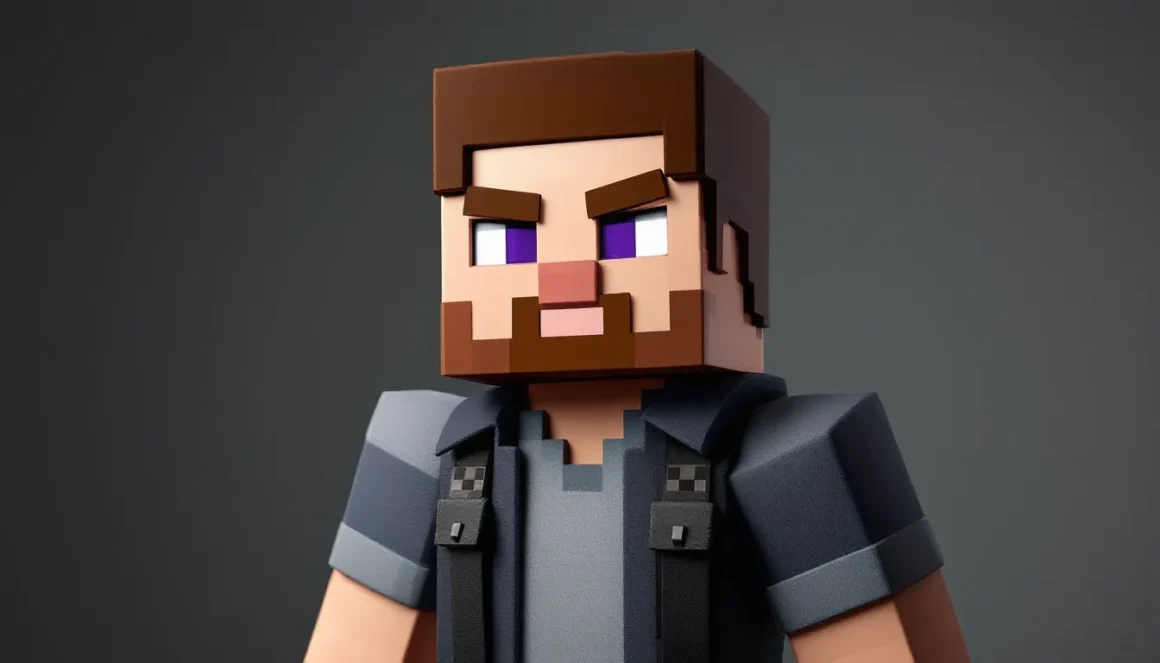
Steve’s appearance is deceptively simple but instantly iconic. He features a boxy head, torso, arms, and legs, all conforming to Minecraft’s signature voxel-based art style. His skin texture, displayed on a 64×64 pixel grid (expanded from the original 64×32 in older versions), shows:
- A light blue shirt (often mistaken for a t-shirt)
- Dark blue-purple pants (sometimes interpreted as jeans)
- A brown beard and goatee
- Short brown hair
- Purple eyes (visible only when zoomed in on the texture)
The design deliberately avoids fine details, making Steve readable at any distance and reinforcing Minecraft’s retro, approachable aesthetic. His proportions are also blocky but functional: each limb is a simple rectangular prism, allowing for straightforward animation and player recognition in multiplayer.
Steve’s texture file can be customized or replaced entirely, which is how the skin system works, but the default Steve design remains the fallback if no custom skin is applied.
How Steve Became the Face of Minecraft
Steve’s rise to icon status wasn’t engineered through marketing campaigns or lore drops. It happened organically, as Minecraft itself exploded from indie curiosity to cultural phenomenon.
By 2011, Minecraft had already sold millions of copies, and Steve was everywhere: in Let’s Play videos, memes, and fan art. His simple, almost crude design made him perfect for remixing. He became a visual shorthand for Minecraft itself, appearing on merchandise, promotional materials, and eventually official branding.
Mojang leaned into this. Steve appeared in trailers, update announcements, and even in-game Easter eggs. When Microsoft acquired Mojang in 2014 for $2.5 billion, they didn’t rebrand or redesign Steve, they doubled down on him as Minecraft’s mascot.
By 2020, Steve’s status was cemented when he (alongside Alex, a Zombie, and an Enderman) joined the roster of Super Smash Bros. Ultimate, one of gaming’s most exclusive crossover events. His reveal trailer broke the internet, with millions of views within hours. Steve wasn’t just a Minecraft character anymore, he was a gaming legend.
In 2026, Steve remains the default face of Minecraft across all platforms: Java Edition, Bedrock Edition (PC, mobile, consoles), and even Minecraft Legends. Whether you’re watching a trailer or browsing the latest Minecraft guides, Steve is still the go-to visual representation of the game.
Steve’s Role in Minecraft Gameplay
Steve doesn’t have unique abilities, stats, or perks, he’s a cosmetic choice. But understanding his role helps clarify how Minecraft’s design philosophy works.
Starting Your Journey as Steve
When you create a new world in Minecraft (as of version 1.21.x in 2026), you spawn as Steve by default unless you’ve selected a different skin. From the moment you appear in a random biome, Steve is:
- Capable of mining, building, crafting, and fighting with no restrictions
- Equipped with 10 hearts (20 health points) and a hunger bar (in Survival mode)
- Able to carry up to 37 inventory slots (including armor and offhand)
Steve’s appearance doesn’t affect gameplay mechanics. Whether you’re Steve, Alex, or a custom skin, your stats, speed, reach, and abilities remain identical. The only difference is visual.
This design choice reinforces Minecraft’s sandbox ethos: your character is a blank canvas, and the world is yours to shape.
Steve’s Abilities and Limitations
Steve can do everything a Minecraft player can do, which includes:
- Breaking blocks with his hands (or tools for efficiency)
- Crafting items via the 2×2 inventory grid or a crafting table
- Combat using swords, bows, crossbows, tridents, and more
- Building structures with any placeable block
- Enchanting and brewing with the right materials
- Swimming, sprinting, sneaking, and jumping (with sprinting added in version 1.7, sneaking in Alpha, and swimming improved in the Aquatic Update 1.13)
His limitations are the same as any player’s:
- No flight in Survival (unless using elytra or creative mode)
- Limited reach (4-5 blocks depending on version and mode)
- Environmental vulnerabilities: fall damage, drowning, fire, lava, mobs, void, and the Warden’s sonic boom
Steve doesn’t level up or gain stats. Progression in Minecraft is tied to gear, enchantments, and player skill, not the character model.
Customizing Steve: Skins and Personalization
One of Minecraft’s most beloved features is skin customization, and Steve is just the starting point.
How to Change Your Skin from Steve
Changing your skin in 2026 is straightforward, but the process varies slightly by platform:
Java Edition (PC/Mac/Linux):
- Visit the official Minecraft website and log into your account
- Navigate to the Profile section
- Click “Choose File” and upload a 64×64 PNG skin file
- Confirm and save, your new skin will appear in-game within minutes
You can find thousands of free skins on sites like Nexus Mods, which hosts community-created content for Minecraft and other games.
Bedrock Edition (Windows, Xbox, PlayStation, Switch, Mobile):
- Open Minecraft and go to the main menu
- Select “Dressing Room” or “Profile”
- Browse the Marketplace for free or paid skins, or select “Choose New Skin” to browse defaults
- Import custom skins by selecting “Choose New Skin” > “Browse” (on supported platforms)
Bedrock’s skin library includes both classic skins (like Steve and Alex) and HD, premium skins sold in the Marketplace.
Popular Steve Skin Variations
While many players abandon Steve entirely, others embrace variations that tweak or parody the original:
- Tuxedo Steve: Steve in formal wear, popular for multiplayer events
- Herobrine Steve: A creepypasta-inspired version with white, glowing eyes
- Armored Steve: Steve wearing diamond, netherite, or modded armor as part of the skin texture
- Steve in Different Outfits: Hoodies, medieval gear, superhero costumes, and meme-inspired variants
Some players also create “Steve but…” skins, like Steve as a zombie, Steve with shaders, or Steve in different art styles. The flexibility of the skin system means Steve can be as basic or as customized as you want.
Steve vs. Alex: Understanding Minecraft’s Default Characters
When Alex was introduced in Minecraft version 1.8 (September 2014), she brought a new default option to the table. But what’s the actual difference?
Model Differences:
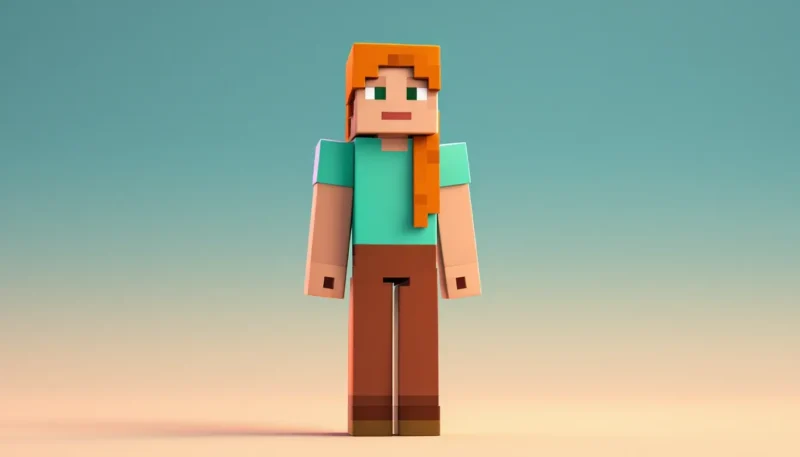
- Steve uses the “classic” model with 4-pixel-wide arms
- Alex uses the “slim” model with 3-pixel-wide arms, giving a more slender appearance
Both characters share the same hitbox, movement speed, and gameplay mechanics. The choice is purely cosmetic.
Design Philosophy:
Mojang introduced Alex to diversify the default roster and offer players more immediate visual variety. Steve and Alex are both presented as gender-neutral, though the community often reads Steve as male and Alex as female.
In Bedrock Edition, the game randomly assigns new players either Steve or Alex when they first launch. Java Edition players default to Steve unless they manually change their skin.
Which Should You Choose?
It doesn’t matter mechanically, so pick whichever you vibe with. Many players customize their skins anyway, but if you’re sticking with a default, both Steve and Alex are equally valid. Steve’s slightly blockier proportions give him a more “classic Minecraft” look, while Alex’s slim arms offer a bit more variety in player silhouettes during multiplayer sessions.
Steve in Minecraft Lore and Community Culture
Minecraft doesn’t have a traditional story, but Steve has become the center of an entire fan-created mythos.
Official Lore (or Lack Thereof):
Mojang has intentionally kept Minecraft’s narrative vague. Steve isn’t a hero, survivor, or villain, he simply is. There’s no canon backstory explaining why he’s in the world, what he’s doing, or where he came from. This ambiguity is a feature, not a bug: it lets players project their own stories onto the game.
The closest thing to official lore comes from Minecraft: The End Poem, a cryptic, philosophical text that appears after defeating the Ender Dragon. Even that doesn’t mention Steve by name.
Community and Meme Culture:
Steve’s simplicity has made him a meme goldmine. Some of the most popular Steve-related memes and community creations include:
- “Steve doesn’t need tools”: Jokes about Steve punching trees and mining stone with his bare hands
- “Steve is the strongest character in fiction”: Memes calculating Steve’s absurd carrying capacity (he can hold thousands of cubic meters of gold)
- Herobrine: The infamous creepypasta about a ghostly Steve-like figure haunting Minecraft worlds (officially confirmed as fake by Mojang, but still referenced in patch notes as a running gag)
- Steve in weird contexts: Realistic Steve renders, Steve in other games, Steve as a horror figure
Steve also features heavily in Minecraft animations, parody songs, and YouTube content. Creators like Element Animation and CaptainSparklez have used Steve as the protagonist in countless videos, shaping how millions of fans perceive the character.
In 2026, Steve remains a staple of Minecraft content across YouTube, Twitch, TikTok, and Reddit, proving his staying power in gaming culture.
Steve’s Appearances Beyond Minecraft
Steve’s fame isn’t confined to Minecraft. He’s appeared in other games, merchandise, and even mainstream media.
Steve in Super Smash Bros. Ultimate
Steve’s inclusion in Super Smash Bros. Ultimate (released as DLC in October 2020) was a watershed moment. Nintendo and Mojang collaborated to bring Steve, Alex, Zombie, and Enderman to the roster, complete with a moveset that recreates Minecraft mechanics:
- Neutral B: Mine blocks to collect materials (wood, stone, iron, gold, diamond)
- Side B: Place a minecart that can carry opponents or Steve himself
- Up B: Build blocks upward and use an elytra to glide
- Down B: Place TNT and detonate it
- Crafting Table: Create weapons and tools mid-match, affecting damage and knockback
Steve’s stage, a Minecraft world that changes biomes mid-match, and his unique mechanics (literally altering terrain) make him one of Smash Ultimate’s most technically complex fighters. His arrival sparked debates about tier placement, with top players eventually ranking him high-tier to top-tier due to his versatile kit and ability to control space.
Steve’s Smash inclusion also introduced Minecraft to a new audience and validated the game’s place in the pantheon of gaming icons alongside Mario, Link, and Pikachu.
Merchandise, Media, and Pop Culture
Steve appears on countless products:
- Toys and Figures: LEGO Minecraft sets, action figures, plushies
- Apparel: T-shirts, hoodies, hats featuring Steve’s face or pixelated design
- Books: Official Minecraft guides and novels feature Steve as a visual stand-in for the player
- Advertising: Steve has appeared in cross-promotions with brands like Xbox, LEGO, and even McDonald’s Happy Meals
Steve has also appeared in parody sketches, late-night TV segments, and gaming documentaries. His blocky face is shorthand for “gaming” in the same way Mario’s mustache or Sonic’s spikes are. Detailed character breakdowns on Game8 often highlight Steve’s impact across multiple media, reinforcing his role as a cross-platform icon.
Tips for Playing as Steve in Different Game Modes
While Steve (or any skin) doesn’t affect mechanics, understanding how to succeed in Minecraft’s core modes is essential for new players who start their journey as the default character.
Survival Mode Strategies
Survival is where Steve’s journey begins for most players. Here’s how to make the most of your first sessions:
Day One Priorities:
- Gather wood by punching trees (yes, really). Craft a crafting table and wooden tools.
- Build a basic shelter before nightfall. Even a dirt hut works.
- Craft a bed using 3 wool (from sheep) and 3 planks. Sleeping resets your spawn point and skips the night.
- Find food: Kill passive mobs (cows, pigs, chickens) or harvest crops if you spawn near a village.
Progression Path:
- Upgrade from wood tools → stone → iron → diamond → netherite (added in 1.16, still the top-tier material in 2026)
- Explore caves for ores, but bring torches and food
- Establish farms for renewable food and resources
- Locate a village for trading with villagers (especially for enchanted books and gear)
- Build an enchanting table and gather experience from mining, smelting, and fighting mobs
Survival Tips:
- Always carry a water bucket (negates fall damage, extinguishes fire)
- Never dig straight down (you might fall into lava or a cave)
- Mark your base coordinates (press F3 on Java, check settings on Bedrock)
- Keep a shield in your offhand for combat (blocks most attacks)
Creative Mode Building
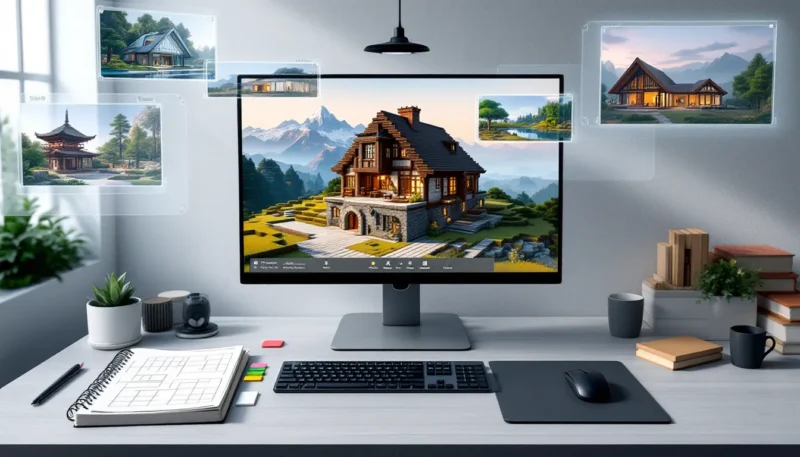
Creative Mode removes survival mechanics and grants unlimited resources, flight, and invincibility. Steve becomes a god-tier architect.
Building Best Practices:
- Plan your layout before placing blocks. Use scaffolding or temporary markers.
- Vary block palettes: Mix textures (stone, wood, concrete, terracotta) for visual depth.
- Use slabs, stairs, and fences to add detail beyond full blocks.
- Experiment with lighting: Torches, lanterns, glowstone, sea lanterns, and shroomlights each have unique aesthetics.
- Leverage redstone: Automate doors, farms, and traps. Even basic redstone adds interactivity.
Creative Mode Tips:
- Use
/filland/clonecommands (if cheats are enabled) for large-scale builds - Study real architecture or other builders’ work for inspiration
- Join creative servers or realms to collaborate and share ideas
- Backup your worlds regularly (creative builds can represent hundreds of hours)
Whether you’re surviving the night or constructing a megabuild, Steve’s role is to be your avatar in a world limited only by your imagination.
Conclusion
Steve is more than just a default skin, he’s the embodiment of Minecraft’s design philosophy. Simple, adaptable, and endlessly customizable, he represents a blank slate that millions of players have filled with their own stories, builds, and adventures. From his humble origins in Minecraft’s alpha to his starring role in Super Smash Bros. Ultimate, Steve has become one of gaming’s most unlikely icons.
Whether you stick with the classic look or swap him out for a custom skin, Steve will always be the first face most players see when they enter the world of Minecraft. And in a game that’s sold over 300 million copies and shows no signs of slowing down in 2026, that’s a legacy worth celebrating. Now get out there, punch some trees, and make Steve, or whoever you choose to be, proud.