Minecraft Lava: Your Complete Guide to Finding, Using, and Surviving the Molten Block in 2026
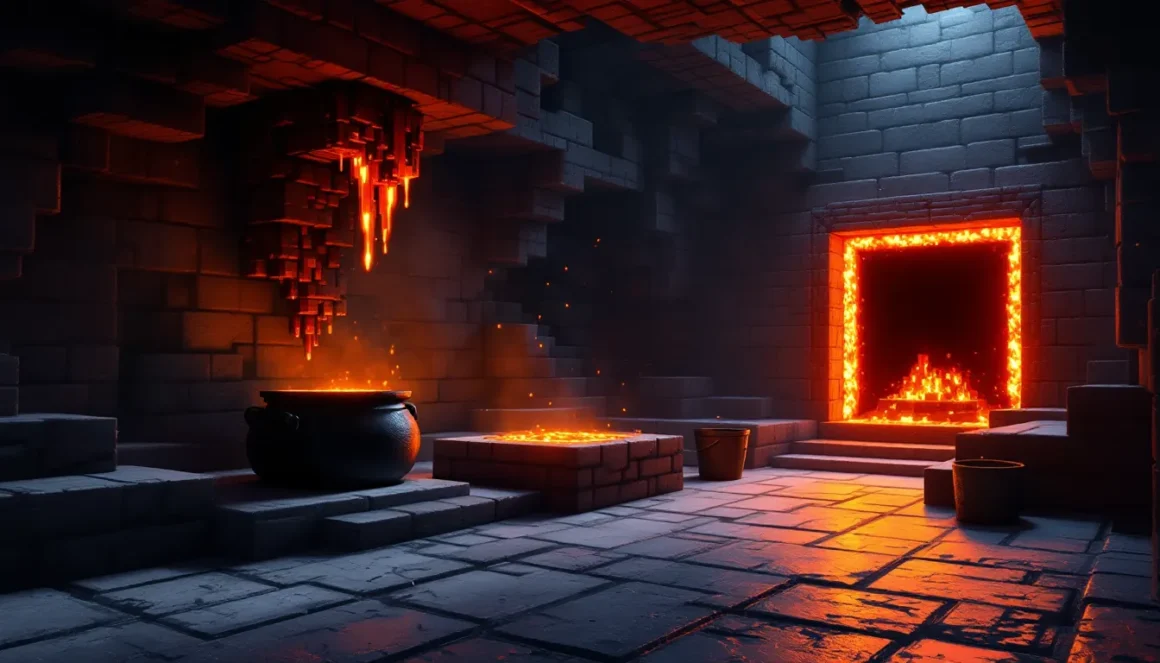
Lava in minecraft is one of those elements that makes you respect the game’s danger, one wrong step near a pool of molten rock, and your diamond gear is gone forever. But while lava’s reputation as a run-ender is well-earned, it’s also one of the most versatile resources in the game. From powering furnaces indefinitely to creating obsidian portals and defending your base against mobs, lava offers utility that goes way beyond its threat level.
Whether you’re spelunking in the deepslate layers, building a Nether hub, or automating your smelting operation, understanding how lava behaves, and how to exploit it, separates casual players from efficient builders. This guide covers everything from spawn mechanics and collection techniques to advanced redstone integration and common mistakes that’ll cost you your inventory. Let’s dig in.
Key Takeaways
- Minecraft lava is a versatile resource that deals fire damage on contact but powers furnaces indefinitely, making it essential for fuel and smelting automation.
- In the Overworld, lava flows only three blocks horizontally and moves slowly, while in the Nether it flows seven blocks and moves faster, requiring Fire Resistance potions to navigate safely.
- Pointed dripstone lava farms, introduced in version 1.17, made lava fully renewable for the first time, eliminating fuel scarcity in long-term survival worlds.
- Lava buckets are the most efficient fuel in Minecraft, smelting 100 items per bucket compared to coal’s 8 items, making them invaluable for large-scale automated smelters.
- Avoid placing lava within four blocks of flammable materials like wood and wool, as it ignites nearby blocks within a three-block radius in the Overworld, potentially destroying your builds.
- Always carry a water bucket when mining near lava to instantly solidify it into obsidian or cobblestone, creating a safe escape route when trapped.
What Is Lava in Minecraft?
Lava is a liquid block that deals fire damage on contact and ignites flammable blocks nearby. It’s found naturally in the Overworld, the Nether, and even the End (though rarely). Unlike most blocks, lava is animated, glowing, and emits light level 15, the brightest possible, making it useful for both functional builds and atmosphere.
Lava has been in Minecraft since the game’s early alpha days, but its mechanics have evolved. As of the Caves & Cliffs Update (1.18) and the Nether Update (1.16), lava generation, flow behavior, and renewable collection methods have all been refined. The addition of pointed dripstone in 1.17 made lava a fully renewable resource for the first time, a game-changer for long-term survival worlds.
Lava Properties and Behavior
Lava behaves differently depending on the dimension. In the Overworld, lava flows up to three blocks horizontally from its source and takes significantly longer to spread than water. Each block of distance takes roughly 30 seconds per block in the Overworld, making lava slow but relentless.
In the Nether, lava flows up to seven blocks horizontally and moves faster, about as quickly as water does in the Overworld. This makes Nether lava lakes far more dangerous, especially early-game when you’re navigating without Fire Resistance.
Lava also interacts with other blocks in specific ways:
- Contact with water creates cobblestone (flowing lava meets water source) or stone (water flows onto lava source).
- Lava source blocks meeting water sources create obsidian.
- Lava ignites most flammable blocks (wood, wool, leaves) within a three-block radius in the Overworld, and even further in the Nether.
- Players and mobs take 4 HP (2 hearts) of damage per second in lava, plus additional fire damage afterward.
Lava vs. Water: Key Differences
Water and lava are both liquid blocks, but they couldn’t be more different mechanically.
Flow Distance:
- Water flows eight blocks horizontally in the Overworld: lava flows only three.
- In the Nether, lava flows seven blocks, while water evaporates instantly (unless you’re in a cauldron).
Speed:
- Water spreads almost instantly. Lava in the Overworld creeps forward slowly: in the Nether, it moves at water-like speed.
Interaction with Players:
- Water slows movement but doesn’t damage. Lava damages and ignites players on contact.
- Water can be swum through indefinitely with the Aqua Affinity and Respiration enchantments. Lava requires Fire Resistance potions to survive.
Renewable Potential:
- Water has always been renewable via infinite source mechanics (2×2 pool).
- Lava became renewable in Java Edition 1.17 and Bedrock Edition 1.17.0 via dripstone and cauldrons.
These differences make lava far riskier but also more rewarding when used correctly.
Where to Find Lava in Minecraft
Lava spawns predictably across Minecraft’s dimensions, but knowing the exact Y-levels and biome quirks saves time and keeps you alive.
Lava Lakes and Surface Pools
Surface lava lakes are rare but dramatic. They generate in the Overworld at Y-level 63 and below (as of 1.18), usually in biomes like deserts, badlands, and savanna plateaus. These pools are often small, just a few source blocks, but they’re easy to spot due to the glow and surrounding charred terrain.
In badlands biomes, surface lava is more common and sometimes appears in exposed veins along cliff faces. If you’re hunting for early-game lava and spawn in a mesa or desert, check the landscape before heading underground.
Underground Lava Sources
The bulk of lava in the Overworld spawns underground, and the distribution changed significantly in the 1.18 Caves & Cliffs Part II update.
- Y-level -54 to Y-level 10: Lava lakes and pools generate frequently. The deeper you go, the more common lava becomes.
- Y-level -54 (bedrock level): The entire bottom layer of the world is nearly flooded with lava, forming vast underground “seas” in some cave systems. This is the most dangerous mining zone but also the richest for ancient debris and diamonds.
Cave generation now includes massive lava lakes in the deepslate layer, often intersecting with lush caves or dripstone caverns. Many game walkthroughs recommend bringing Fire Resistance potions when mining below Y-level 0, and that’s solid advice, one misstep in a deep cave can drop you into a hidden lava pool with no warning.
The Nether: Lava Oceans and Lava Falls
The Nether is where lava minecraft truly dominates the landscape. Lava generates at Y-level 31 and below across the entire dimension, forming seas that stretch for hundreds of blocks. These oceans are the baseline “floor” of the Nether, and any structure, fortress, or bastion you explore will be built above or into them.
Lava falls cascade from ceilings and cliffs throughout the Nether, creating natural hazards and spectacle. These falls are purely decorative in terms of mechanics, they don’t create source blocks, but they can ignite you or push you into deeper lava if you’re not careful.
Navigating the Nether without Fire Resistance is borderline reckless. The combination of ghast fireballs, lava oceans, and falling gravel makes the dimension a deathtrap for unprepared players. Fire Resistance potions or a full set of Netherite armor (which provides knockback resistance but not fire immunity) are survival essentials.
How to Safely Collect and Transport Lava
Collecting lava is straightforward, if you don’t mind the risk of incineration. But doing it safely and efficiently requires a bit of planning.
Using Buckets to Gather Lava
The classic method: craft an iron bucket (three iron ingots), right-click a lava source block, and you’ve got a lava bucket. Simple. But here’s what most players get wrong:
- Only source blocks work. Flowing lava won’t fill a bucket. You need to trace the flow back to the origin.
- One bucket per source block. Unlike water, you can’t create infinite lava by bucketing from a 2×2 pool (unless you’re using the dripstone method, covered below).
- Lava buckets stack… sort of. Empty buckets stack to 16, but filled lava buckets don’t stack at all. Plan your inventory accordingly.
If you’re collecting lava in the Nether, bring multiple buckets or a Shulker Box to carry empties. Nether lava is abundant, so you can fill as many buckets as you have storage.
Infinite Lava Sources with Dripstone
As of Minecraft 1.17, you can create a renewable lava farm using pointed dripstone and cauldrons. This changed the entire meta for fuel and building.
Here’s how it works:
- Place a lava source block above a dripstone block.
- Attach a pointed dripstone (stalactite) to the underside of the dripstone block.
- Place a cauldron directly below the pointed dripstone, at least one block of air between the tip and the cauldron.
Over time (randomly, with an average of about one Minecraft day or 20 real-world minutes), the dripstone will drip lava into the cauldron, filling it. Once full, you can bucket out a full lava source block.
Why this matters: You can set up dozens of these in parallel, creating a fully automated, infinite lava supply. No more risky Nether runs once your farm is up.
Transporting Lava Over Long Distances
Moving lava from point A to point B is clunky unless you automate it.
Manual Transport:
- Carry lava buckets in your inventory or Shulker Boxes. Tedious, but reliable.
- Donkeys and llamas can carry chests, letting you transport more buckets per trip.
Automated Transport:
- Minecarts with chests don’t help (lava buckets don’t stack).
- Nether portals are your best friend. Set up a portal near a Nether lava ocean, bucket lava, return to the Overworld, and dump it into your farm or smelter. The 8:1 travel ratio makes this extremely efficient for bulk collection.
Creative Uses for Lava in Minecraft
Lava isn’t just a hazard, it’s a tool. Here’s where it shines.
Lava as a Fuel Source for Smelting
Lava buckets are the single best fuel in Minecraft. One lava bucket smelts 100 items in a furnace, blast furnace, or smoker. For comparison:
- Coal/Charcoal: 8 items per unit
- Blaze Rod: 12 items
- Block of Coal: 80 items
- Lava Bucket: 100 items
The only downside? You lose the bucket after use (it returns empty to the furnace’s fuel slot). But with an infinite dripstone lava farm, fuel scarcity becomes a non-issue. Late-game players often dedicate entire farms to lava collection purely for smelting automation.
Building Traps and Defense Systems
Lava makes for brutal PvP and mob defense. Popular trap designs include:
- Lava Moats: Surround your base with a trench of lava. Mobs that fall in burn to death, dropping cooked food if applicable (chickens, cows, pigs).
- Lava Blade Traps: Use pistons to push lava into a hallway, then retract it. Kills mobs without destroying their drops (unlike TNT).
- Fall + Lava Combo: Drop mobs from height into a shallow lava pool. The fall damage weakens them: the lava finishes them off.
Many tier lists for base defense rank lava traps highly because they’re cheap, renewable, and effective against both mobs and players.
Creating Obsidian and Cobblestone Generators
Obsidian forms when a lava source block touches water (flowing or source). This is how you build Nether portals without mining obsidian directly. The classic method:
- Dig a 4×1 trench.
- Fill it with lava source blocks.
- Pour water from above so it flows over the lava.
- Mine the resulting obsidian with a diamond or Netherite pickaxe.
Cobblestone generators are simpler. When flowing lava meets flowing water, you get cobblestone. The standard generator design:
- Dig a 1×3 trench.
- Place lava at one end, water at the other.
- They meet in the middle, creating cobblestone you can mine infinitely.
This is essential for skyblock or void worlds where stone is finite.
Decorative Lava Features and Lighting
Lava’s light level 15 glow makes it perfect for mood lighting. Use it behind glass walls, in floor panels, or as flowing “waterfalls” in Nether-themed builds. Combine lava with black or red stained glass for a dramatic effect that’s visible from far away.
Some builders use lava in fountains or as accent lighting in castles and dungeons. Just make sure it’s encased, accidental fire spread has ruined more builds than creeper explosions.
Surviving Lava: Protection and Safety Tips
Lava kills. But with the right prep, you can shrug it off.
Fire Resistance Potions and Enchantments
Fire Resistance potions grant complete immunity to lava and fire damage for 3 minutes (or 8 minutes with Redstone extension). Brewing requires:
- Awkward Potion (Water Bottle + Nether Wart)
- Magma Cream (Blaze Powder + Slimeball)
This is non-negotiable for Nether exploration or deep mining below Y-level 0. Keep a few in your hotbar, and drink one before you need it, reactively chugging a potion after you’re already burning rarely ends well.
Enchantments help, but they don’t grant immunity:
- Fire Protection IV (helmet, chestplate, leggings, boots): Reduces fire and lava damage by up to 32% per piece. Full Fire Protection IV armor cuts lava damage significantly but won’t make you invincible.
- Protection IV offers general damage reduction, including fire, but it’s less specialized.
Fire Resistance is still superior. Potions > enchantments for lava.
What to Do If You Fall in Lava
Panic is the real killer. Here’s the survival checklist:
- Drink Fire Resistance immediately if you have it.
- Build a pillar under yourself with blocks (dirt, cobblestone, netherrack). Spam-jump and place blocks beneath you to escape the lava pool.
- Throw water in front of you to turn lava into obsidian or cobblestone, creating a safe path.
- Don’t log out. In Java Edition, logging out while in lava will kill you when you log back in. In Bedrock, it might save you, but it’s inconsistent.
- Accept your fate and don’t compound the loss. If you’re burning and have no escape, stop moving. Let death come. Running deeper into the lava just makes item recovery harder.
Always carry a water bucket when mining or exploring lava zones. It’s saved more players than any enchantment.
Lava-Proofing Your Builds
Fireproofing your base is simple:
- Use non-flammable blocks: Stone, cobblestone, terracotta, concrete, bricks, Netherite blocks, obsidian, etc.
- Avoid wood, wool, leaves, carpets, and planks near lava.
- Encase lava in glass or other non-flammable blocks. Even then, leave at least one block of air gap between lava and any flammable material.
- Test lava placement in creative mode before committing to a design in survival.
If you’re building in the Nether, assume everything will catch fire eventually. Plan accordingly.
Lava Farming and Automation Techniques
Setting up renewable lava changes how you approach fuel, smelting, and even decoration.
Setting Up an Automatic Lava Farm
The dripstone lava farm is the gold standard. Here’s a scalable design:
Materials Needed (per unit):
- 1 lava source block
- 1 dripstone block
- 1 pointed dripstone (stalactite)
- 1 cauldron
- Optional: hoppers, chests, and redstone comparators for automation
Basic Setup:
- Place a dripstone block two blocks above the ground.
- Put a lava source block on top of the dripstone block.
- Attach a pointed dripstone to the bottom of the dripstone block.
- Place a cauldron directly below the pointed dripstone.
Automation (Optional):
- Use a redstone comparator pointed out of the cauldron. When the cauldron fills, the comparator outputs a signal.
- Trigger a dispenser (loaded with empty buckets) to auto-bucket the lava and deposit it into a chest via hopper.
This setup is tileable. Build a 10×10 grid of these, and you’ll have more lava than you’ll ever need.
Best Practices for Efficient Lava Collection
- Build vertically: Stack multiple dripstone farms in a tower to save horizontal space.
- Use Shulker Boxes to store lava buckets compactly (though they still don’t stack inside).
- Locate farms near your smelting arrays to minimize transport time.
- Chunk-load your farm (Java Edition with mods or Bedrock Edition spawn chunks) so lava generates even when you’re far away.
- Bring Fire Resistance when setting up the farm in case you misplace a lava block.
Players running large-scale automated smelters or mapmaking projects often dedicate entire chunks to lava farming. It’s that valuable.
Common Lava Mistakes and How to Avoid Them
Even veterans mess up around lava. Here’s what to watch for.
Accidental Fire Spread and Structure Damage
Lava ignites blocks within a three-block radius in the Overworld (four blocks in the Nether). That means lava doesn’t need to touch wood to set it on fire, it just needs to be close.
Common mistake: placing lava in a stone fireplace with a wooden floor three blocks away. The wood ignites. The fire spreads. Your house burns down.
Prevention:
- Keep a four-block gap minimum between lava and any flammable block.
- Use glass or iron bars to encase lava.
- Turn off fire spread with
/gamerule doFireTick falsein creative or private servers (though this disables all fire spread, including from flint and steel).
Losing Items to Lava
Items that fall into lava are destroyed. Instantly. No recovery.
Most common scenarios:
- Mining above lava and breaking the block you’re standing on, falling in with your inventory.
- Dying to mobs near lava and having your items drop into it.
- Accidentally right-clicking with a valuable item while holding a lava bucket.
Prevention:
- Always place blocks under yourself when mining near lava.
- Clear lava pools with dirt or cobblestone before fighting mobs.
- Use a water bucket to solidify lava into obsidian before mining around it.
- Keep valuables in an Ender Chest when exploring dangerous areas.
No recovery method exists for lava-destroyed items. Once it’s gone, it’s gone.
Misjudging Lava Flow Distance
Lava flows three blocks in the Overworld, seven in the Nether. New players often misjudge this and get caught by the spread.
In tight cave systems, placing a single lava source block can flood an entire tunnel before you realize it. In the Nether, one broken block in a ceiling can release a lava fall that flows seven blocks outward, cutting off your escape route.
Prevention:
- Count blocks before placing lava.
- Test in creative mode if you’re unsure.
- Carry a water bucket to stop lava flow instantly (Overworld only).
- Mark safe zones with torches or colored blocks when exploring near lava.
Advanced Lava Mechanics and Redstone Integration
For technical players, lava offers some interesting mechanical quirks.
Lava Flow Mechanics Explained
Lava spreads in a predictable pattern:
- Source blocks create flow up to the maximum distance (3 in Overworld, 7 in Nether).
- Each block of horizontal flow reduces the “level” of the lava by 1.
- Lava flows downward infinitely as long as there’s open space. A single source block at the top of a ravine can create a lava fall all the way to bedrock.
Vertical Drop Behavior:
- Lava falling from above creates a visual “fall” block, but only the block directly below the source is considered flowing lava.
- This flowing lava doesn’t create new source blocks, even if it lands in a 2×2 pool (unlike water).
Block Updates:
- Lava updates slowly. If you remove a source block, the flowing lava takes several seconds to disappear.
- This delay can be exploited in some redstone contraptions or trolling setups.
Using Lava in Redstone Contraptions
Lava isn’t commonly used in redstone, but it has niche applications:
- Item Destruction: Use dispensers to place lava, destroying unwanted items in automatic sorting systems. A how-to article for trash systems often includes lava as the disposal method.
- Mob Damage in Farms: Lava blades (piston-pushed lava) can weaken mobs in grinders without destroying drops.
- Decorative Redstone Doors: Some players use lava as a “lock” mechanism, open the door, and lava flows away via piston, granting access.
- Cauldron Fill Detection: Redstone comparators detect when a cauldron is full of lava, outputting a signal strength based on fill level. This enables fully automated lava farms.
Piston Interactions:
- Pistons cannot push lava. Trying to push a lava source or flowing lava will cause the piston to extend but leave the lava in place.
- Sticky pistons can retract blocks next to lava, causing the lava to update and flow into the newly empty space. This is how lava blade traps work.
Technical players use lava in combination with observers, comparators, and dispensers for everything from auto-smelters to griefing machines on anarchy servers.
Conclusion
Lava in minecraft is a double-edged sword: deadly if mishandled, indispensable when mastered. From renewable fuel farms powered by dripstone to Nether highways lit by lava seas, understanding this molten block’s mechanics gives you a serious edge in survival and creative builds alike.
The addition of infinite lava via dripstone in 1.17 fundamentally changed the resource economy, especially for players running large-scale smelting operations or building in the Nether. Combined with Fire Resistance potions and smart building practices, lava transforms from a run-ending hazard into one of the most versatile tools in your arsenal.
Whether you’re defending your base with lava moats, automating your fuel supply, or just trying not to lose your Netherite gear to a stray pool, respecting lava’s mechanics is non-negotiable. Master it, and you’ll never run out of fuel, or creative ways to burn your friends on multiplayer servers.