Minecraft Furniture Mod: The Ultimate Guide to Transforming Your Builds in 2026
Vanilla Minecraft gives players blocks, and lots of them. But when it comes to making a house feel like an actual home? The base game falls short. You can craft a bed, a crafting table, maybe some chests. That’s about it for interior design. If you’ve ever tried to build a convincing living room or kitchen with nothing but stairs and trapdoors, you know the pain.
That’s where furniture mods come in. They transform your builds from blocky shelters into detailed living spaces, complete with sofas, lamps, kitchen appliances, and even working TVs. Whether you’re building a modern mansion, a medieval tavern, or a cozy cottage, the right furniture mod makes all the difference. This guide covers the best furniture mods available in 2026, how to install them, and how to use them to take your builds to the next level.
Key Takeaways
- Minecraft furniture mods like MrCrayfish’s, Macaw’s, Decocraft, and Bibliocraft transform vanilla builds into detailed living spaces with functional sofas, lighting, kitchens, and decorative items.
- Install furniture mods by first downloading a mod loader (Forge or Fabric), then placing compatible .jar files into your mods folder—most furniture mod downloads are available on CurseForge or Modrinth.
- Combine multiple furniture mods strategically to maximize creative options: use MrCrayfish’s for functional basics, Macaw’s for material variety, and Decocraft for decorative props and clutter.
- Design cohesive interiors by matching furniture styles to your build’s theme, layering details like tablecloths and centerpieces, and using lighting strategically to create ambiance.
- Optimize performance when using furniture mods by reducing render distance, using performance-focused tools like Sodium, allocating additional RAM, and testing combinations in creative mode first.
- For multiplayer servers, ensure all players have identical mods installed and consider using modpacks like CurseForge or ATLauncher to streamline setup and prevent compatibility issues.
Why Use Furniture Mods in Minecraft?
Minecraft’s core gameplay loop revolves around exploration, survival, and building. But once you’ve got a shelter and resources sorted, many players want to create spaces that actually look lived-in. Vanilla Minecraft doesn’t support this well. You can’t sit on a proper chair, you can’t open a working fridge, and you definitely can’t add a desk lamp that actually lights up your study.
Furniture mods solve this by adding hundreds of new decorative and functional blocks. These mods introduce sofas you can sit on, tables with custom designs, working appliances, lighting fixtures, and even items like bookshelves that hold actual books. They give builders creative freedom to design interiors that match their vision instead of improvising with fences and slabs.
Another reason to use furniture mods is roleplay and immersion. If you’re playing on a multiplayer server with friends or building a town for a community project, detailed interiors make the world feel more alive. A tavern with bar stools and mugs, a library with reading desks, or a bedroom with nightstands and wardrobes, these details matter.
Furniture mods also pair well with other decoration-focused mods. Combining them with shaders, texture packs, or building-focused mods creates a completely different aesthetic. You’re not just placing blocks anymore: you’re designing environments.
Top Minecraft Furniture Mods You Need to Try
There are dozens of furniture mods out there, but not all of them are updated, balanced, or worth your time. Here are the best options in 2026, each with its own strengths.
MrCrayfish’s Furniture Mod
MrCrayfish’s Furniture Mod is the most popular furniture mod for Minecraft, and for good reason. It’s been around since the early modding days and continues to receive updates for modern versions. As of early 2026, it’s compatible with Minecraft 1.20.4 and 1.21 using Forge.
This mod adds over 80 pieces of furniture across multiple categories: seating (chairs, sofas, bar stools), tables, storage (cabinets, wardrobes, crates), appliances (ovens, fridges, dishwashers), lighting (lamps, ceiling lights), and electronics (TVs, computers, printers). Many items are functional. You can sit on chairs, store items in cabinets, and even cook food in the oven.
The textures fit vanilla Minecraft’s aesthetic, so they don’t feel out of place. The crafting recipes use standard materials, wood, iron, wool, glass, making them accessible in survival mode. If you’re new to furniture mods, start here. It’s lightweight, stable, and covers all the basics.
Macaw’s Furniture Mod
Macaw’s Furniture Mod is a newer contender, but it’s quickly become a favorite among builders who want variety. Macaw actually maintains a whole ecosystem of mods (Macaw’s Doors, Macaw’s Windows, Macaw’s Bridges), and the furniture mod is part of that family.
What sets this mod apart is the sheer number of variants. You get furniture in every wood type Minecraft offers, plus stone, concrete, and metal options. Want an oak desk? Done. Spruce? Yep. Dark oak, birch, crimson, warped? All available. This makes it easy to match furniture to your build’s material palette.
Macaw’s mod is compatible with both Forge and Fabric for Minecraft 1.20+, which is a huge plus for players who prefer Fabric’s lighter performance. The mod includes chairs, tables, desks, drawer sets, shelves, stools, benches, and counters. It’s especially strong for office and workshop builds.
Decocraft
Decocraft goes beyond furniture and ventures into full-scale decoration. This mod adds over 3,000 decorative items, from furniture to props to clutter. If MrCrayfish’s mod is about functional furniture, Decocraft is about filling every corner of your build with detail.
You’ll find everything from dining sets and bedroom furniture to party decorations, toys, stuffed animals, and even food props. There are traffic cones, musical instruments, arcade machines, gravestones, and taxidermy. It’s wild. Many veteran builders use Decocraft alongside other modding guides for maximum customization.
The downside? Decocraft can be performance-heavy, especially if you place hundreds of items in a small area. It’s best used on mid-to-high-end PCs or servers with good specs. As of 2026, it’s available for Minecraft 1.16.5 and 1.18.2 via Forge, with community forks for newer versions.
Bibliocraft
If you want furniture that’s both decorative and functional, Bibliocraft is a must-have. This mod focuses on storage, organization, and book-related furniture, but it also includes general decor.
You get bookshelves that actually display books, desks with readable surfaces, tool racks that show your weapons and tools, armor stands with poses, display cases for showcasing items, and even printing presses for copying written books. It’s perfect for libraries, workshops, armories, and museums.
Bibliocraft also adds fancy signs (with custom text and colors), maps frames, and tables that can hold items. The mod is highly modular, meaning you can pick and choose which features to use. It’s available for Minecraft 1.12.2 and 1.16.5, with community ports for later versions. Fair warning: official updates have slowed, so check compatibility before installing.
Chisels and Bits for Custom Furniture
Chisels and Bits isn’t a furniture mod in the traditional sense, but it deserves a mention. This mod lets you chisel blocks down to 1/16th of their normal size, essentially turning Minecraft into a voxel-sculpting tool. You can create custom furniture designs pixel by pixel.
Want a unique lamp that no mod offers? Chisel it. Need a specific chair shape for a themed build? Sculpt it. The learning curve is steep, but the creative potential is unmatched. Many builders combine Chisels and Bits with traditional furniture mods to fill gaps or add one-of-a-kind pieces.
It’s available for Forge and Fabric on Minecraft 1.18+, with active development continuing into 2026. Performance impact is minimal unless you’re chiseling massive structures.
How to Install Furniture Mods in Minecraft
Installing mods in Minecraft isn’t hard, but it does require a few extra steps beyond the base game. Here’s the process.
Installing Forge or Fabric Mod Loaders
Most furniture mods require a mod loader: either Forge or Fabric. These are frameworks that let Minecraft run mods. You only need to install the loader once, and then you can add as many compatible mods as you want.
To install Forge:
- Go to files.minecraftforge.net and download the installer for your Minecraft version (e.g., 1.20.4).
- Run the installer and select “Install client.”
- Open the Minecraft Launcher, click the dropdown next to “Play,” and select the Forge profile.
- Launch the game to confirm Forge is working.
To install Fabric:
- Download the Fabric installer from fabricmc.net.
- Run the installer, select your Minecraft version, and click “Install.”
- Download Fabric API from CurseForge and place it in your
modsfolder (more on that below). - Launch Minecraft using the Fabric profile.
Most furniture mods work on Forge, but some (like Macaw’s) support both. Check the mod’s page before downloading.
Downloading and Adding Furniture Mods
Once your mod loader is installed, adding furniture mods is straightforward.
- Download the mod. Head to CurseForge, Modrinth, or the mod’s official page. Make sure the version matches your Minecraft version and mod loader.
- Locate your mods folder. On Windows, press
Win + R, type%appdata%.minecraft, and hit Enter. Open themodsfolder (if it doesn’t exist, create it). - Drop the mod file into the mods folder. The file will be a
.jarfile. Don’t unzip it. - Launch Minecraft using your Forge or Fabric profile.
- Check the mod menu. In the main menu, click “Mods” to confirm the furniture mod loaded successfully.
If the mod doesn’t appear, double-check the Minecraft version, mod loader compatibility, and whether any dependencies (like Fabric API) are missing. Many game guides offer troubleshooting steps if you run into issues.
Creative Furniture Ideas for Different Room Types
Once you’ve got furniture mods installed, it’s time to build. Here are design ideas for different room types to get you started.
Living Room and Entertainment Spaces
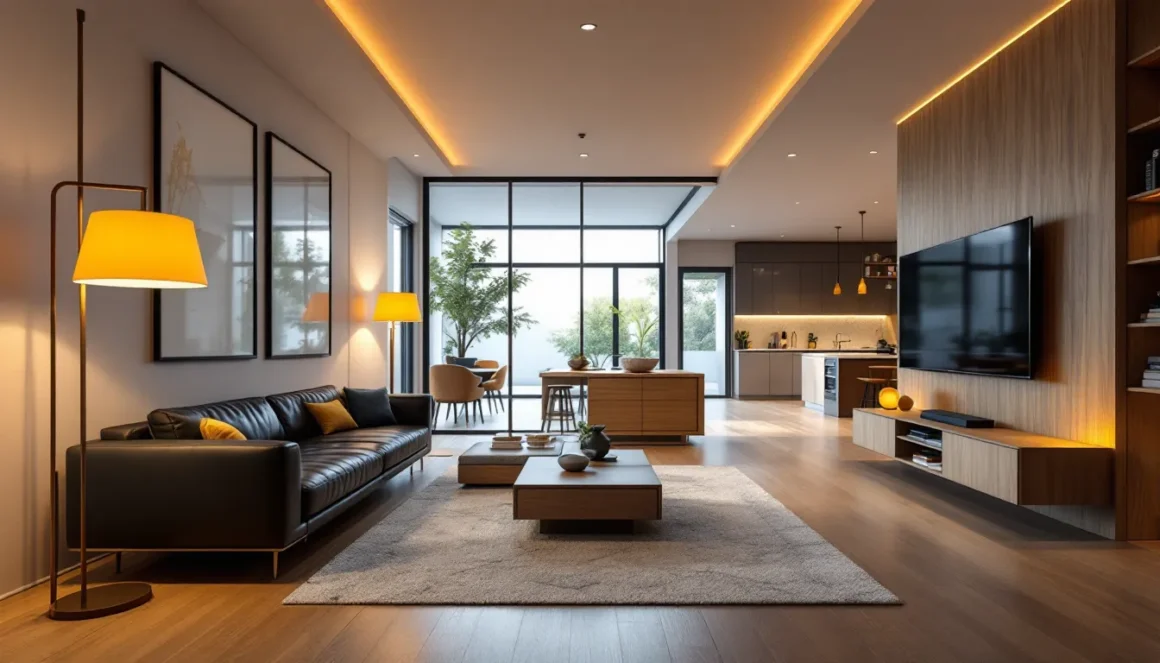
A good living room centers around seating and entertainment. Use sofas and armchairs from MrCrayfish’s mod or Macaw’s, arranged around a coffee table. Add a TV or computer (MrCrayfish’s) on a media stand, or use item frames with maps for custom wall art.
Lighting is key. Place floor lamps in corners and ceiling lights above seating areas. If you’re using shaders, lamps from furniture mods emit actual light, which looks incredible at night.
For extra detail, add bookshelves (Bibliocraft or vanilla), potted plants (Decocraft), and rugs (use carpets or custom blocks). If you want a fireplace, combine vanilla blocks with furniture mod mantels and decorative items.
Kitchen and Dining Areas
Kitchens are where furniture mods really shine. Start with counters and cabinets (Macaw’s or MrCrayfish’s) along the walls. Add an oven, fridge, and sink (MrCrayfish’s). Use item frames or Decocraft props to place dishes, utensils, and food on counters.
For the dining area, place a table with chairs or bar stools around it. Decocraft adds plates, cups, and food props that make the table feel set for a meal. Overhead lighting from MrCrayfish’s or vanilla lanterns completes the space.
Pro tip: Use Macaw’s furniture in matching wood types for a cohesive look. Oak for rustic kitchens, dark oak for modern, spruce for cabins.
Bedroom and Bathroom Designs
Bedrooms should feel cozy. Start with a vanilla bed (or a custom one from Decocraft), then add nightstands (Macaw’s or MrCrayfish’s) with lamps on top. Include a wardrobe or dresser for storage, and a desk with a chair if you want a study nook.
Decocraft adds alarm clocks, stuffed animals, and posters for personality. Use item frames or painting mods for wall decor. Carpets or custom rugs from decoration mods tie the room together.
Bathrooms are trickier since vanilla Minecraft doesn’t have plumbing. Use MrCrayfish’s mod for toilets, sinks, and bathtubs. Add mirrors (use item frames with glass or Decocraft’s mirror blocks), towel racks (Decocraft), and cabinets for storage. White or light-colored blocks (quartz, concrete) work well for bathroom floors and walls.
Outdoor Furniture and Garden Decor
Outdoor spaces need furniture too. Use benches and picnic tables (Macaw’s or Decocraft) for patios and gardens. Add umbrellas, grills, and outdoor lighting (Decocraft or MrCrayfish’s).
For gardens, combine furniture mods with vanilla plants and flowers. Decocraft adds garden gnomes, bird baths, and fences. Use Bibliocraft’s tool racks to display gardening tools near sheds.
If you’re building a pool area, Decocraft has pool chairs, floaties, and beach balls. Use light blue concrete or glass blocks for the pool itself, and surround it with furniture and plants.
Combining Furniture Mods for Maximum Creativity
No single furniture mod does everything. The best builds combine multiple mods to cover different niches. For example, use MrCrayfish’s Furniture Mod for functional basics, Macaw’s for material variety, and Decocraft for props and clutter.
This layered approach gives you more options. MrCrayfish’s mod might have a great sofa, but Macaw’s has the perfect desk. Decocraft fills in the gaps with small details like books, dishes, and decorations.
Just be mindful of performance. Running five or six furniture mods at once can slow down your game, especially with shaders. Test combinations in creative mode before committing to a survival build.
Another tip: use JEI (Just Enough Items) or REI (Roughly Enough Items) to browse all available furniture in-game. These mods add a searchable item list, so you can see every piece of furniture without memorizing recipes.
If you’re pulling build guides or inspiration from other players, ask which mods they used. Many showcase builds list their mod packs in the description.
Troubleshooting Common Furniture Mod Issues
Mods don’t always play nice. Here’s how to fix the most common problems.
Mod Compatibility Problems
If Minecraft crashes on startup or a furniture mod doesn’t load, it’s usually a compatibility issue. First, confirm the mod is for your exact Minecraft version. A mod made for 1.20.1 might not work on 1.20.4, even though they’re close.
Next, check dependencies. Some mods require additional libraries (like Fabric API for Fabric mods, or Patchouli for certain Forge mods). The mod’s download page will list these.
If two mods conflict, the crash log (found in .minecraft/crash-reports/) will usually name the culprits. You can try removing one mod at a time to isolate the problem. Forums like CurseForge and Reddit’s r/feedthebeast are good places to ask for help.
Performance and Lag Concerns
Furniture mods add new blocks and entities, which can tank performance on lower-end PCs. If you’re getting lag, try these fixes:
- Reduce render distance. Furniture mods add more objects to render, so lowering your view distance helps.
- Use Optifine or Sodium. These performance mods optimize Minecraft’s rendering. Sodium (Fabric) is especially effective.
- Limit furniture placement. Don’t go overboard. A room with 50 Decocraft props will lag more than one with 10.
- Allocate more RAM. In the Minecraft Launcher, go to Installations > Edit Profile > More Options, and increase
-Xmxfrom 2G to 4G or 6G (if your system supports it).
If lag persists, consider switching to lighter mods like Macaw’s instead of heavier ones like Decocraft.
Furniture Mods for Multiplayer Servers
Using furniture mods on multiplayer servers requires a bit more setup than singleplayer. Both the server and all players need the same mods installed. If even one player is missing a furniture mod, they won’t be able to see the blocks, or worse, they’ll see errors or crash.
If you’re running your own server, install the mod on the server-side by dropping the .jar file into the server’s mods folder, just like you would for your client. Restart the server, and confirm the mod loaded by checking the console output.
For public servers, many use modpacks to simplify this. Platforms like CurseForge or ATLauncher bundle all required mods into a single download, so everyone’s on the same page. If you’re joining a modded server, ask for the modpack link or mod list.
Furniture mods are especially popular on roleplay servers and creative build servers. If you’re building a medieval town, modern city, or fantasy village with a community, furniture mods make the world feel lived-in. Just make sure everyone agrees on which mods to use to avoid compatibility headaches.
Keep in mind that some servers restrict mods for balance or performance reasons. Always check the server’s rules before joining with a modded client.
Best Practices for Building With Furniture Mods
Furniture mods unlock creative potential, but using them well takes practice. Here are some tips to make your builds stand out.
Scale matters. Minecraft blocks are 1m³, which can make furniture look chunky. Use slabs, stairs, and trapdoors from vanilla alongside modded furniture to create depth and variation. A sofa against a wall with a shelf above feels more natural than furniture floating in the middle of a room.
Match your theme. Don’t mix modern furniture with medieval builds unless you’re intentionally going for a contrast. Use Macaw’s wood variants to match the materials in your build. Oak furniture for cabins, dark oak for modern homes, spruce for Nordic styles.
Layer details. Don’t just place a table and chairs and call it done. Add a tablecloth (carpet or custom block), place item frames with food or dishes, add a centerpiece (flower pot, candle). Small touches make rooms feel lived-in.
Think about function. Even in creative mode, rooms should make sense. A kitchen needs prep space, storage, and cooking surfaces. A bedroom needs a bed, storage, and lighting. If a room feels off, it’s often because the furniture doesn’t serve a purpose.
Use lighting strategically. Furniture mods add lamps, but don’t over-light. Real rooms have ambient light and focused task lighting. A reading nook might have a floor lamp, while a bedroom has softer overhead light and nightstand lamps.
Test in creative mode first. Furniture mods offer tons of options, and it’s easy to get lost. Build a test house in creative, try different furniture combinations, and screenshot your favorite layouts. Then recreate them in survival or your main build.
Finally, don’t be afraid to mix mods, vanilla blocks, and even custom textures. The best builds use every tool available.
Conclusion
Furniture mods transform Minecraft from a game about placing blocks into a full-fledged interior design simulator. Whether you’re furnishing a starter house or designing a sprawling mansion, mods like MrCrayfish’s, Macaw’s, Decocraft, and Bibliocraft give you the tools to make your builds feel complete.
The best part? There’s no right way to do it. Some players go for minimalist modern builds with sleek furniture. Others pack every corner with props and clutter. Experiment with different mods, combine them, and find your style.
Furniture mods are just the beginning. Once you’ve mastered interiors, jump into other decoration mods, shaders, and resource packs to push your builds even further. Minecraft’s modding scene is massive, and 2026 is a great time to be a builder.